
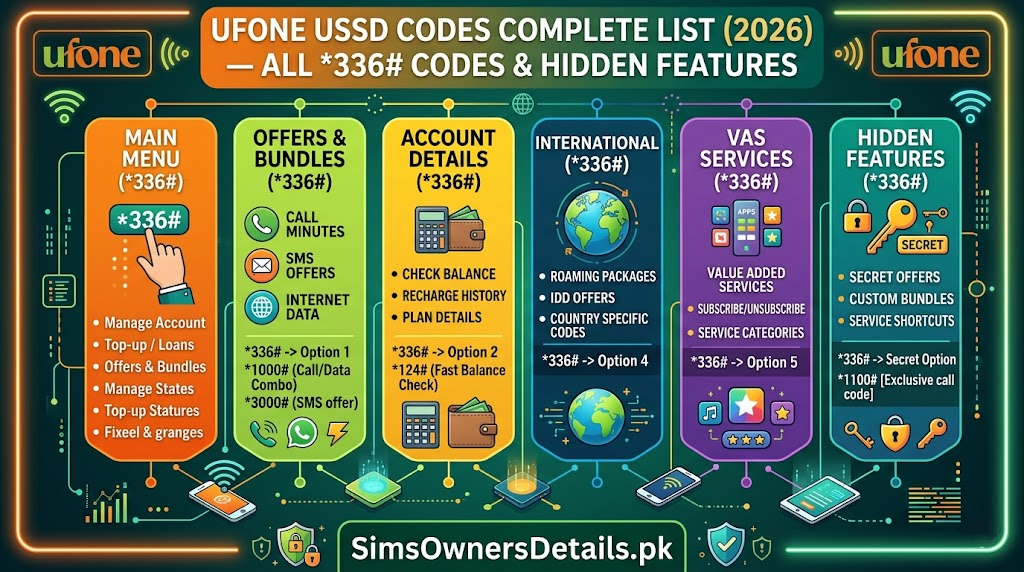
Ufone is Pakistan’s fourth-largest mobile network — owned by PTCL (Pakistan Telecommunication Company Limited) and serving over 22 million subscribers, with particularly strong coverage in rural Pakistan, Khyber Pakhtunkhwa, and Pakistan’s border regions. While Ufone may be smaller than Jazz, Zong, or Telenor, its USSD code system is comprehensive and often underutilized by its own subscribers.
Ufone’s USSD infrastructure gives you complete control over your account — balance checking, data management, U-Paisa mobile wallet access, SIM registration verification, package activation, and call settings — all without internet, without the U-App, and from any phone.
This is the most complete, most accurate, and fully updated Ufone USSD code list for 2026. Every code is organized by category with step-by-step usage instructions.
Most Used Ufone Code: Dial
*124#from your Ufone SIM to check your account balance instantly — free, no internet needed, results in under 3 seconds.
How Ufone USSD Codes Work
USSD (Unstructured Supplementary Service Data) codes on Ufone transmit over the network signalling channel — completely separate from your data connection. This means:
- Work with zero data balance — codes function even when mobile internet is exhausted
- Work on all phones — from basic keypad phones to the latest smartphones
- Instant results — responses appear in 2–5 seconds
- 24/7 availability — including nights, weekends, and public holidays
- Free to access menus — you only pay when confirming a paid service activation
How to use any Ufone USSD code: Open your phone dialer → type the code exactly as shown (include all * and # symbols) → press the green call/send button → wait 2–5 seconds for the response pop-up or message.
Ufone’s USSD system also provides access to your SIM’s registration details — important for confirming your biometric verification status and CNIC linkage. For a complete cross-network view of all SIMs registered on your CNIC, use the 668 SMS service alongside Ufone’s own verification tools. For the complete SIM database context, visit our Pakistan SIM database guide.
Ufone Balance and Account USSD Codes
Core Balance Check Codes:
| Code | Function | Notes |
|---|---|---|
*124# | Main account balance | Most used — shows Rs. balance |
*456# | Data balance check | Shows remaining internet MBs/GBs |
*124*1# | Balance with expiry date | Shows balance + validity |
*336# | Main self-service menu | Full account management portal |
*99# | Check your own Ufone number | Displays your number |
*780# | Active packages and subscriptions | Shows all current bundles |
Step-by-Step Balance Check:
Step 1: Open your phone dialer on your Ufone SIM Step 2: Dial *124# Step 3: Press the call/send button Step 4: Your balance appears within 3 seconds showing available Rs. credit
Understanding your balance display:
- Main balance: your loadable credit (used for calls, SMS, data when no bundle active)
- Bundle balance: if you have an active package, remaining minutes/SMS/data are tracked separately
- Use
*780#to see what active bundles you have running
Ufone Internet and Data USSD Codes
Ufone’s data management USSD system gives you full control over internet packages without needing the U-App or any internet connection.
Data Balance Check Codes:
| Code | Function |
|---|---|
*456# | Total remaining data balance |
*124*2# | Data balance with validity |
*780# | All active bundle details |
*336*3# | Internet packages menu |
*3# | Quick data check (short format) |
Data Package Activation Codes:
| Code | Package Type |
|---|---|
*336*3*1# | Daily data packages menu |
*336*3*2# | Weekly data packages menu |
*336*3*3# | Monthly data packages menu |
*336# → Internet | Full data offer browser |
How to activate a Ufone data package:
Step 1: Dial *336# Step 2: Select “Internet” or “Data Packages” from the menu Step 3: Choose daily, weekly, or monthly Step 4: Select your preferred package from the list (price and data shown) Step 5: Confirm activation by pressing “OK” or the confirmation option Step 6: Receive confirmation SMS that package is active
Important: Ufone package prices and data amounts change with promotional campaigns. Always confirm the current offer before activating — the USSD menu shows current price at the time of activation.
Social Media and App-Specific Data:
Ufone offers specific social media bundles that may include WhatsApp, YouTube, TikTok, or other platforms at discounted data rates. Check *336# → Internet → Social for current social bundle offers.
Ufone Call Package USSD Codes
Voice Call Packages:
| Code | Function |
|---|---|
*336*2# | Voice packages menu |
*336*2*1# | Daily call packages |
*336*2*2# | Weekly call packages |
*336*2*3# | Monthly call packages |
*124*3# | Remaining call minutes in bundle |
*336# → Packages → Voice | Full call package browser |
SMS Packages:
| Code | Function |
|---|---|
*336*4# | SMS packages menu |
*336*4*1# | Daily SMS package |
*336*4*2# | Weekly SMS package |
*124*4# | Remaining SMS balance |
All-in-One Bundle Codes:
Ufone’s combination bundles (data + calls + SMS) offer the best value. Access via:
*336#→ Packages → All-in-One- These bundles are updated regularly — the USSD menu always shows current offers
Ufone SIM Information and Registration Verification Codes
These codes allow you to verify your Ufone SIM’s registration status and CNIC linkage:
| Code | Function |
|---|---|
*336# → My Account | Full SIM registration details |
*336*1# | Account information submenu |
*99# | Display your own Ufone number |
*124# | Balance (confirms SIM is active) |
333 | Helpline for detailed verification |
How to Check Your Ufone SIM Registration Status:
Step 1: Dial *336# from your Ufone SIM Step 2: Navigate to “My Account” or “Account Information”
Step 3: Select “SIM Details” or “Registration Info” Step 4: Your registered CNIC (partially masked for security) and BVS status appear Step 5: If BVS shows “Pending” — visit any Ufone Customer Service Centre with your original CNIC immediately
What BVS Status Means on Ufone:
- BVS Verified: Your SIM is correctly biometrically linked to your CNIC in NADRA’s database. No action needed.
- BVS Pending: Biometric verification was not successfully completed. PTA may block your SIM during enforcement campaigns. Visit Ufone franchise to complete.
- BVS Failed: Fingerprint mismatch during original registration. Requires immediate franchise visit and re-registration.
Cross-CNIC monitoring: The *336# code shows details for your current Ufone SIM only. To see ALL SIMs on your CNIC (Jazz, Zong, Telenor, Ufone, SCO combined), send your CNIC number to 668 via SMS — this is the authoritative cross-network check.
For comprehensive CNIC-level SIM monitoring guidance, visit our CNIC information guide.
Ufone U-Paisa Mobile Wallet USSD Codes
U-Paisa is Ufone’s official mobile financial services platform — accessible entirely via USSD without internet:
| Code | Function |
|---|---|
*828# | Main U-Paisa menu |
*828*1# | Check U-Paisa balance |
*828*2# | Send money to another number |
*828*3# | Mobile top-up (self or others) |
*828*4# | Pay utility bills (electricity, gas, water) |
*828*5# | Merchant payment |
*828*6# | Cash withdrawal from U-Paisa agent |
*828*7# | Bank transfer from U-Paisa |
*828*8# | U-Paisa statement and history |
*828*9# | Account settings and PIN change |
789 | U-Paisa helpline (free from Ufone) |
U-Paisa Account Management via USSD:
Checking U-Paisa balance:
- Dial
*828*1# - Enter your 5-digit U-Paisa PIN when prompted
- Balance displays within seconds
Sending money:
- Dial
*828*2# - Enter recipient’s Ufone number
- Enter amount
- Enter your U-Paisa PIN to confirm
- Transaction completes — both parties receive SMS confirmation
Paying utility bills:
- Dial
*828*4# - Select utility type (WAPDA, SSGC, SNGPL, KESC, Sui Gas etc.)
- Enter your consumer number
- Confirm the displayed bill amount
- Enter U-Paisa PIN to pay
U-Paisa Security Rules:
- Never share your U-Paisa PIN — not with anyone claiming to be from Ufone
- Your PIN is 5 digits — separate from your Ufone SIM PIN
- Ufone never calls to request your PIN — any such call is fraud
- If you forget your PIN: Dial
*828*9#→ Settings → Forgot PIN → follow OTP reset process
Ufone Emergency Credit (Advance) Codes
When your balance is insufficient for an urgent call:
| Code | Function | Notes |
|---|---|---|
*336*6# | Emergency credit/advance menu | Check eligibility |
*431# | Request Ufone advance | For eligible accounts |
*336*6*1# | Check advance eligibility | Shows qualifying amount |
*336*6*2# | Outstanding advance check | Shows current debt |
Advance Eligibility Criteria:
- Account must be active for at least 3 months
- Regular recharge history (consistent top-ups)
- No existing unpaid advance outstanding
- Usage pattern showing regular calls, data, SMS
The advance is automatically deducted from your next recharge — you cannot repay it manually in advance.
Ufone International Roaming USSD Codes
For Ufone subscribers traveling internationally:
| Code | Function |
|---|---|
*336*7# | International roaming menu |
*336*7*1# | Activate international roaming |
*336*7*2# | Deactivate international roaming |
*336*7*3# | Check roaming status |
*336*7*4# | International roaming packages |
333 | Ufone helpline (also reachable from abroad) |
Pre-travel checklist:
- Activate roaming before departure:
*336*7*1# - Note the per-minute and per-MB rates for your destination country
- Consider buying a Ufone international roaming package for better rates
- For SIM monitoring from abroad: bookmark cnic.sims.pk — 668 short code does not work from foreign networks
Ufone Value-Added Services and Settings Codes
| Code | Function |
|---|---|
*336*8# | Subscription manager — all active services |
*336*8*2# | Unsubscribe from specific services |
*404# | Call forwarding settings |
*21*[number]# | Forward all calls to a specific number |
##21# | Cancel all call forwarding |
*43# | Enable call waiting |
#43# | Disable call waiting |
*330# | Do Not Disturb (block promotional calls) |
*700# | Caller tune settings |
*600# | Missed call alert activation |
Cancelling Unwanted Ufone Subscriptions:
Many Ufone users discover they are subscribed to paid daily services they never intentionally activated — common from promotional USSD traps or accidental confirmations.
Full audit and cancellation:
Step 1: Dial *336*8# Step 2: Select “My Subscriptions” or “Active Services” Step 3: Review every listed service carefully Step 4: Select and unsubscribe from any service you do not recognize
Bulk cancellation: Send “STOP ALL” as an SMS to 5000 — this is a blanket unsubscribe command for most Ufone promotional services.
Ufone Network and Technical Codes
| Code | Function |
|---|---|
*#06# | Check your phone’s IMEI number |
*99# | Display your own Ufone number |
*124# | Account balance (confirms SIM active) |
*636# | Network signal quality check |
*62*[number]# | Forward calls when no answer |
*67*[number]# | Forward calls when busy |
##004# | Cancel all call divert rules |
IMEI Verification via DIRBS:
Step 1: Dial *#06# on your phone — your 15-digit IMEI appears on screen Step 2: Send the IMEI as an SMS to 8484 Step 3: Receive PTA DIRBS compliance status Step 4: “Compliant” = device is legally registered; “Non-compliant” = needs DIRBS registration
This check is essential before buying any second-hand phone in Pakistan — a blocked or non-compliant IMEI means the phone cannot use Pakistani networks.
Ufone Helpline and Support Codes
| Contact | Number/Code | Cost |
|---|---|---|
| Customer care (live agent) | 333 | Free from Ufone |
| Self-service menu | *336# | Free |
| U-Paisa support | 789 | Free from Ufone |
| SMS support | Text to 333 | Standard SMS rate |
| Fixed helpline | 021-111-333-100 | Standard call rate |
IVR Navigation for Ufone 333:
When calling 333:
- Press 1 for Urdu
- Press 2 for English
- Press 3 for account and balance issues
- Press 4 for data and internet issues
- Press 5 for U-Paisa mobile wallet issues
- Press 6 for packages and bundles
- Press 0 to reach a live agent directly
Best time to call: Early morning (9–11 AM) on weekdays has the shortest wait times. Avoid after 6 PM and Mondays.
Ufone USSD Quick Reference — Complete Table
| Category | Code | Function |
|---|---|---|
| Balance | *124# | Main account balance |
| Data balance | *456# | Internet remaining |
| Own number | *99# | Display Ufone number |
| All services | *336# | Full self-service menu |
| Voice packages | *336*2# | Call packages |
| Data packages | *336*3# | Internet packages |
| SMS packages | *336*4# | SMS packages |
| Active bundles | *780# | All running packages |
| SIM info | *336# → My Account | Registration details |
| U-Paisa | *828# | Mobile wallet menu |
| Advance | *336*6# | Emergency credit |
| Subscriptions | *336*8# | Active services manager |
| Roaming | *336*7# | International roaming |
| IMEI | *#06# | Device IMEI number |
| Helpline | 333 | Free customer care |
| U-Paisa helpline | 789 | Free wallet support |
Ufone vs Other Networks — USSD Code Comparison
One feature that sets Ufone apart is its USSD accessibility in rural and low-coverage areas — where other operators’ signals may be weaker, Ufone’s network often maintains connectivity, making its USSD codes more reliably accessible in remote locations:
| Feature | Ufone USSD | Jazz USSD | Zong USSD | Telenor USSD |
|---|---|---|---|---|
| Main balance | *124# | *123# | *102# | *222# |
| Data balance | *456# | *117*4*2# | *6767# | *999# |
| Packages | *336# | *321# | *310# | *345# |
| Own number | *99# | *7000# | *100# | *5# |
| Mobile wallet | *828# (U-Paisa) | *786# (JazzCash) | *828# (MyCash) | *786# (Easypaisa) |
| Helpline | 333 | 111 | 310 | 345 |
Frequently Asked Questions — Ufone USSD Codes 2026
*Q: Why does my Ufone 124# return no balance despite having credit?
A: Possible causes include SIM suspension (contact Ufone 333), no signal (move to better coverage area), or a USSD server issue. Try from a different location and retry after 5 minutes.
Q: Can I check all SIMs on my CNIC using Ufone USSD codes?
A: No — Ufone USSD codes only show your current Ufone SIM’s details. For all SIMs across all networks on your CNIC, send your CNIC number to 668 via SMS.
*Q: My U-Paisa 828# keeps saying “Invalid PIN.” What should I do?
A: After 3 wrong PIN attempts, U-Paisa locks temporarily. Wait 30 minutes then use *828*9# → Forgot PIN for OTP-based reset. If the issue persists, call U-Paisa helpline at 789.
Q: How do I know if I have an active Ufone package that is still running?
A: Dial *780# — this shows all currently active bundles with their remaining balance and expiry date.
Q: Ufone 333 helpline is busy. What are my alternatives? A: Use *336# self-service for most account management needs. For U-Paisa issues specifically, call 789. For urgent complaints, use PTA helpline 0800-55055.
Q: My Ufone data is finishing quickly. How do I check what is using it?
A: Check *456# regularly to monitor data depletion rate. Check *780# to confirm your data package is active. If data seems to be consumed faster than expected, call Ufone 333 to check for any background subscriptions or services consuming data.
Q: Can I activate a Ufone package from my U-Paisa wallet balance?
A: Yes, on some package types. When activating via USSD, Ufone may offer a payment option from your U-Paisa balance. Confirm this option is available for the specific package you are activating.
Q: Is there a Ufone USSD code for checking my CNIC linked to this SIM?
A: Via *336# → My Account → Account Information, your CNIC (partially masked) is visible. For the full CNIC and comprehensive registration details, visit any Ufone Customer Service Centre with your original CNIC for biometric verification.
Summary — Ufone USSD Codes 2026
Ufone’s USSD system gives you complete account control without needing internet or the U-App. The six most important codes to memorize:
*124#— balance check (use daily)*456#— data remaining (use when internet is slow)*336#— all services (use when activating packages)*780#— active bundles (use to see what’s running)*828#— U-Paisa wallet (use for mobile banking)333— free helpline (use for any unresolved issue)
For Pakistan’s most complete SIM verification and CNIC protection resource covering all five operators including Ufone, visit Sim Owner Details.
Related guide:
- How to Check Ufone SIM Owner Details Pakistan 2026 — 6 Free Methods
- NADRA Services Complete Guide Pakistan 2026 — All Online and Offline Services
- Check Number Details Pakistan 2026 — Find Mobile Number Owner Free Official Methods
- Telenor USSD Codes Complete List 2026 — All *345# Codes and Secret Features
- SIM Registration Process Pakistan 2026 — How New SIMs Are Registered Officially
 SIM OWNER DETAILS