
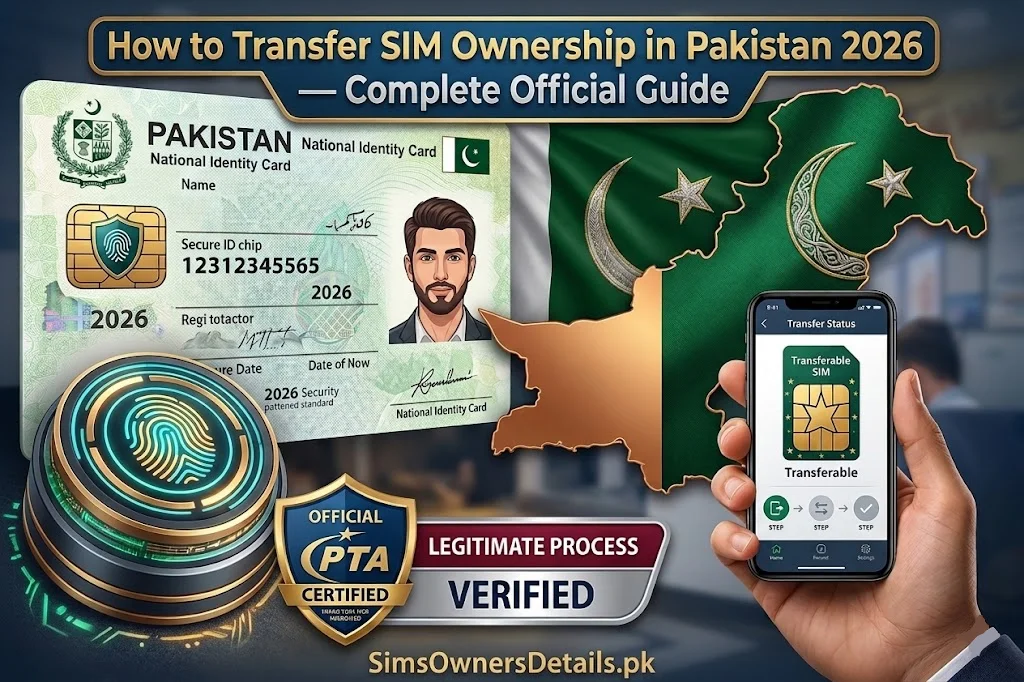
Transferring a SIM card’s ownership from one person to another is a legitimate, PTA-regulated process that Pakistani mobile users need in several real-life situations — gifting a number to a family member, handling a deceased relative’s SIM, resolving a corporate SIM that was incorrectly registered on a personal CNIC, or correcting registration errors at the time of original SIM purchase.
However, SIM ownership transfer is also one of the most misunderstood processes in Pakistan’s mobile ecosystem — and one of the most exploited by fraudsters who use “ownership transfer” as a cover for unauthorized SIM takeovers.
This guide covers everything about the official SIM ownership transfer process in Pakistan — when it is legitimate, exactly how to do it for each operator, what documentation is required, what PECA 2016 says about unauthorized transfers, and how to protect yourself from fake “transfer” services.
Key Rule: SIM ownership transfer in Pakistan requires the physical presence and biometric verification of BOTH the current registered owner and the new owner at an operator franchise. Any “transfer” done without both parties present is unauthorized and illegal under PECA 2016.
When Is SIM Ownership Transfer Legitimate in Pakistan?
SIM ownership transfer is the correct process in the following legitimate situations:
Situation 1: Gifting a Number to a Family Member
You want to permanently give your mobile number to a spouse, child, parent, or sibling. The number will continue to exist but will be registered under the recipient’s CNIC going forward.
Situation 2: Handling a Deceased Person’s SIM
When a family member dies, their SIMs remain registered under their CNIC in PTA’s database. These must either be deactivated or transferred to a surviving family member’s ownership to prevent fraud and free up the deceased’s CNIC record.
Situation 3: Corporate to Personal Transfer
A SIM incorrectly registered under an employee’s personal CNIC on behalf of a company needs to be transferred to the company’s NTN or to the correct employee’s CNIC.
Situation 4: Correcting a Registration Error
Original SIM registration was done under the wrong CNIC due to a franchise error. The process to correct this is essentially an ownership transfer — deregistering from the wrong CNIC and registering under the correct one.
Situation 5: SIM Sale (Number Selling)
One person wants to sell their mobile number to another. While selling phone numbers is technically regulated in Pakistan, the transfer process for the number itself follows the standard ownership transfer procedure.
What SIM Ownership Transfer Is NOT
Understanding what does not constitute legitimate transfer prevents you from being defrauded:
Not a transfer: Someone takes your SIM card and uses it in their phone — the SIM remains registered under your CNIC regardless of who physically uses it. No transfer has occurred.
Not a transfer: Someone calls your operator’s helpline and requests to “move” your number to a new SIM they own. Without biometric verification of the registered CNIC holder, this is either rejected or constitutes fraud.
Not a transfer: A franchise processes a SIM registration for a new person without the original owner officially releasing the number. This is unauthorized re-registration — a PECA 2016 violation.
Not a transfer: Any online service claiming to “transfer” SIM ownership for a fee without requiring both parties to attend a franchise. These are scams or fraud operations.
How SIM Ownership Transfer Works — The Official Process
PTA mandates a specific process for all SIM ownership transfers that applies across all operators:
Requirements:
Both parties must be present:
- Current owner (transferor): Must attend with original CNIC and provide biometric verification
- New owner (transferee): Must attend with original CNIC and provide biometric verification
Both CNICs must be valid:
- Not expired (though NADRA can still process registrations with recently expired CNICs in some cases — confirm with the franchise)
- The new owner’s CNIC must not already have 5 SIMs registered (the transfer would add one SIM to their count)
No outstanding obligations:
- The SIM must not be under a contract (postpaid minimum term)
- No active fraud complaints filed on the number
- No court orders blocking transfers on the number
Step-by-Step SIM Ownership Transfer at Jazz Franchise
Documents Required:
- Original CNIC of current owner (transferor)
- Original CNIC of new owner (transferee)
- Both parties physically present
Step-by-Step:
Step 1: Both the current owner and the new owner visit the same Jazz Xperience Centre together.
Step 2: Inform the franchise representative:
“We want to transfer ownership of Jazz number [state number] from [current owner’s name] to [new owner’s name].”
Step 3: The representative will check:
- Current CNIC-linked SIM status for the transferor
- Whether the transferee has capacity to receive the SIM (under 5 SIM limit)
- Any outstanding obligations on the account
Step 4: Both parties undergo biometric fingerprint verification separately on the franchise terminal.
Step 5: Both parties sign the ownership transfer form (TR-1 or equivalent Jazz form).
Step 6: The representative processes the transfer in the Jazz system — deregistering from the current owner’s CNIC and registering under the new owner’s CNIC.
Step 7: The transfer is processed. The representative issues a transfer confirmation receipt to both parties.
Step 8: PTA’s database (and 668 records) update within 30–60 minutes to reflect the new owner.
Jazz Franchise Contact: Call Jazz 111 to locate the nearest Xperience Centre.
Step-by-Step SIM Ownership Transfer at Zong Franchise
Documents Required:
- Original CNIC of both parties
- Both parties physically present
Step-by-Step:
Step 1: Both the current owner and new owner visit the same Zong Service Centre.
Step 2: State your request to the Zong representative — Zong SIM ownership transfer.
Step 3: The representative verifies both CNICs and checks the SIM’s current status in their system.
Step 4: Both parties complete biometric fingerprint verification on the Zong franchise terminal (connected to NADRA in real time).
Step 5: The representative processes the transfer form — both parties sign.
Step 6: Zong’s system deregisters the SIM from the current owner’s CNIC and registers it under the new owner’s CNIC.
Step 7: Transfer confirmation is issued — keep this receipt.
Step 8: Verify via 668 after 60 minutes — the number should now appear under the new owner’s CNIC and not under the old owner’s.
Zong Franchise Contact: Call Zong 310 for nearest service centre.
Step-by-Step SIM Ownership Transfer at Telenor Franchise
Documents Required:
- Original CNICs of both parties
- Both parties physically present
- If Easypaisa is linked: both parties must agree to Easypaisa handling (see special note below)
Step-by-Step:
Step 1: Both parties visit the same Telenor Sales and Service Centre.
Step 2: Request Telenor SIM ownership transfer from the representative.
Step 3: The representative checks the SIM status — Easypaisa linkage is noted if applicable.
Step 4: If Easypaisa is linked to the SIM: the current owner must transfer or close the Easypaisa account first, OR acknowledge that the new SIM owner will take over the Easypaisa account. Both parties must agree on this handling before the SIM transfer proceeds.
Step 5: Both parties undergo biometric verification.
Step 6: Both parties sign the Telenor ownership transfer form.
Step 7: Transfer is processed in Telenor’s system. Both parties receive confirmation.
Step 8: The PTA database updates within 30–60 minutes.
Special Note for Easypaisa: The Easypaisa wallet linked to the Telenor SIM does not automatically transfer to the new owner — it remains associated with the original registered CNIC. Easypaisa must be separately handled after the SIM transfer. Contact Easypaisa helpline (3737 from Telenor) to resolve the wallet situation.
Telenor Franchise Contact: Call Telenor 345 for nearest service centre.
Step-by-Step SIM Ownership Transfer at Ufone Franchise
Documents Required:
- Original CNICs of both parties
- Both parties physically present
Step-by-Step:
Step 1: Both parties visit the same Ufone Customer Service Centre.
Step 2: Request Ufone SIM ownership transfer.
Step 3: Representative verifies both CNICs and SIM status.
Step 4: Both parties complete biometric verification.
Step 5: Transfer form is completed and signed by both parties.
Step 6: Ufone system processes the transfer — SIM deregisters from current owner and registers under new owner.
Step 7: Transfer confirmation receipt issued.
Step 8: Verify via 668 after 60 minutes.
Ufone Franchise Contact: Call Ufone 333 for nearest Customer Service Centre.
Special Case: SIM Ownership Transfer for Deceased Person
When a SIM registered under a deceased family member’s CNIC needs to be transferred to a living family member, the process involves additional documentation because the original registered owner cannot provide biometric verification:
Documents Required:
- Death certificate of the deceased (NADRA-issued or Union Council registered)
- Original CNIC of the deceased (if available) or CNIC number
- Original CNIC of the claiming family member
- Proof of relationship (Nikahnama for spouse, birth certificate for children)
- In some cases: succession certificate issued by a court
Process:
- Visit the operator’s franchise (Jazz, Zong, Telenor, or Ufone) with all documentation
- The franchise representative escalates to their legal/compliance team
- The deceased’s biometric requirement is waived given the death certificate
- The claiming family member undergoes biometric verification
- If documentation is satisfactory, the transfer is processed to the family member’s CNIC
- If the documentation is insufficient, the franchise may require a court-issued succession certificate
Alternative: If transfer is not possible or desired, the SIM can simply be permanently deactivated. This is often simpler and frees the deceased’s CNIC record without requiring the claiming family member to add it to their own SIM count.
How to Verify a Transfer Was Completed Correctly
After any SIM ownership transfer, verify the change through official channels:
Check 1: The transferor’s 668 check The transferred number should no longer appear in the previous owner’s 668 results within 60 minutes of the transfer.
Check 2: The transferee’s 668 check The transferred number should now appear in the new owner’s 668 results within 60 minutes of the transfer.
Check 3: cnic.sims.pk portal Both parties should check the PTA portal for their respective CNICs to confirm the change.
If the transfer does not appear correctly after 2 hours: Contact the franchise where the transfer was processed and report the discrepancy. Bring your transfer confirmation receipt.
For ongoing monitoring of your CNIC’s SIM registrations after any transfer, use Pakistan’s comprehensive SIM database verification tools at simsownersdetails.pk/sim-database/.
How Fraudsters Exploit “SIM Ownership Transfer” — Warning Signs
Criminals sometimes use the pretense of “ownership transfer” as a cover for fraudulent SIM takeovers. Know these red flags:
Red flag 1: Someone calls claiming they need to “transfer” your SIM No legitimate SIM transfer is initiated by phone. Anyone calling you to request a SIM transfer is attempting fraud.
Red flag 2: You are offered money to “sell” your SIM While number selling exists, any buyer who asks you to hand over your CNIC and attend a franchise with them to complete the “transfer” may be using your legal presence to register additional SIMs fraudulently.
Red flag 3: A franchise processes a transfer without both parties present If only one party is present for a SIM ownership transfer, it is unauthorized. The absent party’s SIM is being transferred without consent — report this immediately to PTA at 0800-55055.
Red flag 4: Online services offering “remote SIM transfer” No legitimate remote SIM transfer service exists in Pakistan. All official transfers require both parties in person at a franchise. Any website claiming to transfer SIM ownership remotely is a scam.
For Pakistan’s most complete SIM fraud detection and verification resource, visit simsownersdetails.pk/pak-sim-data/.
Frequently Asked Questions — SIM Ownership Transfer Pakistan
Q: Can I transfer my SIM to someone in a different city?
A: Both parties must visit the same franchise location together. If they are in different cities, they need to coordinate being in the same city — or the transfer can sometimes be arranged through the operator’s corporate office with advance scheduling. Call the operator’s helpline to inquire about remote coordination options.
Q: Is there a fee for SIM ownership transfer in Pakistan?
A: Operators may charge a nominal administrative fee for ownership transfers — typically between Rs. 50–300. Confirm the current fee with your specific operator before visiting. PTA does not mandate this fee, so it varies by operator.
Q: How many times can a SIM be transferred?
A: There is no specific limit on the number of times a SIM can be transferred. However, excessive transfers on a SIM may trigger a compliance review by the operator.
Q: Can I transfer a postpaid SIM to prepaid or vice versa during ownership transfer?
A: This depends on the operator’s policies. Some operators allow simultaneous SIM type conversion during ownership transfer; others require separate processes. Ask the franchise representative about this when you initiate the transfer.
Q: What happens to my number’s contacts and call history during a transfer?
A: The operator’s system only manages SIM registration — not your phone’s stored contacts or call history. Contacts stored on the SIM card (not the phone’s memory) may need to be backed up separately before the physical SIM is handed over to the new owner.
Q: Can a SIM ownership transfer be reversed?
A: Yes, with a new transfer process — both the new owner and the original owner attending a franchise together. The “reverse transfer” follows the same process as the original.
Q: My employer asked me to transfer a SIM registered on my CNIC to their company NTN. Is this legitimate?
A: Yes, this is a legitimate use case. A SIM incorrectly registered on an employee’s personal CNIC instead of a company NTN should be transferred to the correct company registration. Both you and an authorized company representative must attend the franchise. After the transfer, the SIM is no longer on your CNIC count.
Q: Can I check if my SIM was transferred without my knowledge?
A: Yes. Check your CNIC via 668 — if a number that previously appeared is now missing, it has either been deactivated or transferred away from your CNIC. If you did not authorize a transfer, contact the operator and PTA immediately as this constitutes fraud.
Summary — SIM Ownership Transfer Pakistan
| Topic | Detail |
|---|---|
| Both parties required | Yes — both must be present in person |
| Biometric required | Yes — both parties must verify fingerprint |
| Documents needed | Original CNIC for both parties |
| Available at | Any operator franchise |
| Cost | Nominal admin fee (Rs. 50–300 approx.) |
| Processing time | Same day (30–60 min in PTA database) |
| Verification method | 668 check after 60 minutes |
| Deceased person’s SIM | Death certificate + proof of relationship required |
| PECA 2016 unauthorized transfer | Up to 3 years imprisonment |
SIM ownership transfer is a straightforward, legal process when done correctly through official channels. The key rule: both parties in person, both biometrics verified, both signatures on the form. Anything less is either an error or fraud.
For complete SIM registration monitoring, verification tools, and Pakistan’s most comprehensive mobile identity security resource, visit Sim Owner Details.
Related Guide:
 SIM OWNER DETAILS
1 thought on “How to Transfer SIM Ownership in Pakistan 2026 — Complete Official Guide”