
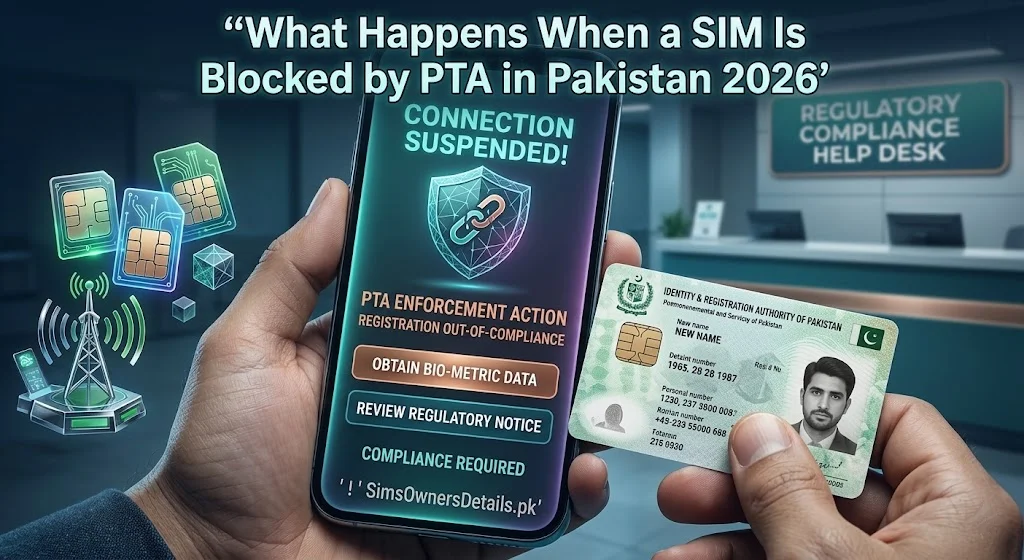
Having your SIM card suddenly blocked by PTA (Pakistan Telecommunication Authority) is one of the most disruptive experiences a Pakistani mobile user can face — your calls stop working, your internet goes down, your WhatsApp disconnects, and your JazzCash or Easypaisa OTPs stop arriving. In a country where mobile connectivity is tied to banking, business, and daily communication, a blocked SIM can have serious real-world consequences within hours.
Understanding why PTA blocks SIMs, exactly what happens when a block is applied, and how to resolve it quickly is essential knowledge for every Pakistani mobile user in 2026 — whether your SIM is blocked, or you want to ensure it never is.
Quick Answer: When PTA blocks a SIM, it becomes completely non-functional — no outgoing calls, no incoming calls, no data, and no SMS. The block is applied at the network level and affects all services linked to that number immediately.
Why Does PTA Block SIM Cards in Pakistan?
PTA has both regulatory authority and legal obligation to block SIM cards under several circumstances. Understanding these reasons clarifies whether a block is legitimate or potentially an error:
Reason 1: Incomplete or Failed Biometric Verification (BVS)
The most common cause of SIM blocking in Pakistan. Every SIM must be biometrically linked to a NADRA-verified CNIC. SIMs that show “BVS Pending” or “BVS Failed” status are periodically blocked by PTA in enforcement campaigns.
Signs this is the cause: Your SIM worked fine for years, then suddenly stopped. You may have never completed biometric verification when the SIM was originally registered.
Resolution: Visit your operator’s franchise with your original CNIC for biometric re-verification. This is usually same-day resolution.
Reason 2: Citizen Complaint — Unauthorized SIM
When a Pakistani citizen discovers an unauthorized SIM on their CNIC via 668 and reports it to PTA at 0800-55055, PTA initiates a blocking order on the reported number. This is a deliberate feature of the system protecting citizens.
Signs this is the cause: The blocked SIM was registered fraudulently on someone else’s CNIC. The legitimate CNIC holder filed a complaint.
Resolution: If you are the fraudulent registrant — you have no legal path to unblocking. If you are the victim who reported it — confirm the block was successful via 668.
Reason 3: Criminal Investigation or Court Order
FIA Cybercrime or a court may request PTA to block a SIM as part of an ongoing investigation. PTA is legally obligated to comply with judicial and investigative orders under PECA 2016.
Signs this is the cause: You or someone associated with your number is under investigation. You have received no prior warning.
Resolution: Engage a lawyer. The block cannot be lifted until the investigation or court proceeding is resolved.
Reason 4: CNIC Quota Exceeded (Regulatory Block)
If PTA’s audit finds more than 5 SIMs registered against a single CNIC, it may block the excess SIMs to enforce the 5-SIM limit. This can affect legitimately owned SIMs if there was a counting error in the system.
Signs this is the cause: You have multiple SIMs and one suddenly stops working after a PTA campaign announcement.
Resolution: Visit the operator franchise with your CNIC. Verify your SIM count via 668 and clarify which SIM was blocked.
Reason 5: Fraudulent Activity Detection
PTA and operators monitor network activity for patterns associated with fraud — bulk SMS sending (used in phishing campaigns), abnormal call volumes, SIM-based botnet activity. SIMs exhibiting these patterns may be blocked automatically or following an operator report to PTA.
Signs this is the cause: Your SIM was used in a device that sent mass messages or was connected to a compromised network.
Resolution: Contact your operator’s fraud team and PTA to investigate. If your SIM was used fraudulently by a third party (e.g., your phone was stolen), provide the police FIR.
Reason 6: Non-Payment on Postpaid Account
For postpaid SIMs, persistent non-payment of bills leads to operator-level blocking — which PTA may subsequently enforce if the operator escalates.
Signs this is the cause: You have a postpaid account with outstanding dues and received prior payment warnings.
Resolution: Pay the outstanding bill. Contact your operator’s billing department to restore service.
Exactly What Happens When PTA Blocks Your SIM — Technical Reality
When PTA issues a blocking order, the impact is immediate and comprehensive:
Outgoing Services — All Blocked:
- Voice calls — cannot dial any number
- SMS messages — cannot send texts
- Mobile internet — data connection terminated
- USSD codes — typically blocked (*100#, *310# etc. may not work)
- International calls — blocked
- Premium service calls — blocked
Incoming Services — Also Blocked:
- Incoming voice calls — callers hear “number not reachable” or “number blocked”
- Incoming SMS — messages are not delivered
- WhatsApp messages — not received (service disconnects)
Financial Services — Immediately Impacted:
- JazzCash — OTPs not received, account access via SIM fails
- Easypaisa — OTPs not received
- Bank OTPs — not received if linked to the blocked number
- Any two-factor authentication via SMS — fails
What Callers Hear When Dialing Your Blocked Number:
- “The number you are calling is currently not reachable”
- “This number has been blocked” (in some cases)
- “The subscriber you are calling is unavailable”
The caller receives no indication of whether you have poor coverage, switched off your phone, or have been specifically blocked — the message is identical for all three scenarios.
How to Confirm Your SIM Is Blocked by PTA vs Other Issues
Before taking action, confirm the block is PTA-level rather than a network issue or handset problem:
Diagnostic Checklist:
Step 1: Insert your SIM in a different phone. If it works in a different phone, the issue is your handset, not the SIM.
Step 2: Insert a different operator’s SIM in your phone. If it works, confirm your phone is functioning — the issue is with your specific SIM.
Step 3: Check if your SIM shows a signal (even weak). A PTA-blocked SIM may show a network signal but all services are blocked. No signal suggests a coverage issue.
Step 4: Dial *100# or your network’s own-number USSD code. If you receive a response, the SIM is not fully blocked. If nothing happens, proceed to Step 5.
Step 5: Call your operator’s helpline from a different phone. Ask:
“Can you check whether my SIM [state your number] has been blocked or suspended?”
The helpline can immediately confirm whether a block exists, what type (operator-level vs PTA-level), and the reason if recorded in their system.
How to Unblock a SIM Blocked by PTA — All Resolution Methods
Method 1: BVS Completion at Franchise (Most Common Resolution)
For BVS-related blocks (the most frequent cause):
- Visit your operator’s franchise with your original CNIC
- Tell the representative your SIM is blocked and you believe it is due to incomplete biometric verification
- The representative runs a biometric check on the franchise terminal
- You complete fingerprint verification
- The representative submits a BVS completion request to PTA
- PTA typically lifts the block within 24–48 hours of confirmed BVS completion
- Verify restoration by testing outgoing calls
Method 2: PTA Helpline Complaint (For Wrongful Blocks)
If you believe your SIM was wrongfully blocked:
- Call PTA at 0800-55055 (toll-free, Mon–Sat 9 AM–5 PM)
- State: “My SIM [number] has been blocked. I believe this is an error. I want to file a complaint and request investigation.”
- Provide your CNIC number, SIM number, and contact details
- PTA will investigate the reason for the block
- If the block was applied in error, PTA issues an unblock order to the operator
- Resolution time: 3–5 working days for investigated cases
Method 3: Online PTA Complaint Portal
For documented complaints about wrongful blocks:
- Go to complaint.pta.gov.pk
- Select “SIM Related” complaint
- Describe the block and your belief that it was applied in error
- Upload any supporting documentation (668 screenshots showing legitimate SIM ownership, CNIC copy)
- Note your complaint reference number
- PTA responds within 3–5 working days
Method 4: Operator Franchise Direct Appeal
If the block was applied by the operator rather than PTA:
- Visit the franchise of your operator
- Present your CNIC and request a review of the block reason
- Operator-level blocks (non-payment, suspected fraud) can be resolved directly with the operator
- For PTA-ordered blocks, the operator cannot lift the block without PTA authorization — they will direct you to PTA
What Happens to Your Number During a PTA Block
A critical concern for blocked SIM owners is whether their phone number survives the block:
Short-term block (resolved within 90 days):
- Your number remains registered under your CNIC
- The block is a service suspension, not a deregistration
- Once the block is lifted, your number resumes exactly as before
- No change to your CNIC’s SIM count
Extended block (90–180 days):
- Your number remains reserved in most cases
- Inactivity due to the block does not typically trigger the 180-day deactivation rule for PTA-ordered blocks — the block itself is on PTA’s record
- Contact your operator to confirm the number’s status if the block extends beyond 90 days
Permanent block (block not resolved):
- After an extended period without resolution, the number may be permanently deactivated
- For blocks due to fraud complaints, the number may be permanently cancelled once the case is resolved
- For BVS blocks that remain unresolved for 6+ months, deactivation may follow
For understanding how your CNIC’s SIM count is affected by blocks and deactivations, visit our complete SIM information guide.
Preventing Your SIM From Being Blocked by PTA
Proactive management prevents the vast majority of PTA blocks:
Prevention 1: Complete Your BVS Verification
The single most effective prevention. If you have any SIM that was registered before 2015 or that you have not verified recently, visit the franchise and confirm BVS status.
Prevention 2: Check 668 Monthly
Regular 668 checks catch unauthorized SIMs that could lead to complaints against your CNIC — and allow you to proactively block unauthorized numbers before they trigger any issues for your legitimate SIMs.
Prevention 3: Pay Postpaid Bills on Time
For postpaid users, set up auto-payment or calendar reminders for bill due dates. A single month’s non-payment starts the suspension process.
Prevention 4: Protect Your SIM From Fraudulent Activity
Keep your phone secure. If your phone is stolen, immediately call your operator to suspend the SIM. A stolen SIM used for fraud can trigger a block on your number.
Prevention 5: Respond to Operator Notifications
Operators send SMS warnings before blocking for non-payment or BVS issues. Read these messages and act on them — do not ignore operator communications about your account status.
For comprehensive CNIC and SIM protection tools to prevent blocks and unauthorized registrations, visit our CNIC information guide.
Impact on WhatsApp, Banking, and Financial Services
When your SIM is blocked by PTA, the ripple effects extend across all services linked to your number:
WhatsApp:
WhatsApp requires periodic re-verification via SMS OTP. If your SIM is blocked during a re-verification cycle, you lose access to WhatsApp on that account until the SIM is restored. Your chats and account remain intact — you just cannot access them.
Mitigation: Link your WhatsApp account to a backup email address through WhatsApp settings before any SIM issues arise.
JazzCash / Easypaisa / U-Paisa:
Mobile wallet OTPs will not arrive on a blocked SIM. If your wallet requires OTP for login or transactions, access is suspended with the SIM.
Mitigation: Register an email backup on all mobile wallet accounts. Keep your wallet PIN active so PIN-based access is possible.
Online Banking:
If your bank sends OTPs to your blocked number, you cannot receive them — online banking access is effectively suspended.
Mitigation: Register an alternate number with your bank before any SIM issues. Enable email OTP where the bank offers this option.
Two-Factor Authentication (Other Apps):
Any app using SMS-based 2FA linked to your blocked number will fail authentication.
Mitigation: Switch critical accounts to authenticator app-based 2FA (Google Authenticator, Microsoft Authenticator) rather than SMS.
Frequently Asked Questions — SIM Blocked by PTA Pakistan
Q: How long does PTA take to unblock a SIM after a BVS completion?
A: Typically 24–48 hours after the operator submits the BVS completion confirmation to PTA. In some cases, particularly during high-volume periods, it may take up to 72 hours.
Q: If my SIM is blocked, does it still appear in the 668 check?
A: Yes. A blocked SIM remains registered under your CNIC in the PTA database and continues to appear in 668 results until it is permanently deactivated or deregistered. The block affects service, not the registration record.
Q: Can PTA block my SIM without notifying me?
A: Yes. In cases involving criminal investigations or fraud complaints, PTA can issue immediate blocking orders without prior notification. For BVS-related blocks, operators typically send warning messages before enforcement, but this is not always guaranteed.
Q: My SIM is blocked but I use it only for calls — do I still need biometric verification?
A: Yes. Biometric verification is mandatory for all SIM types regardless of usage pattern. Even a voice-only SIM with no data usage requires a completed BVS record.
Q: Can I get a temporary replacement SIM while my original is blocked?
A: Your operator can issue a duplicate SIM (same number, new physical card) if the block is being investigated. However, for PTA-ordered blocks related to fraud or investigation, duplicate SIM issuance may be restricted. Check with your operator’s franchise.
Q: What happens if I buy a new SIM while my old one is blocked?
A: You can register a new SIM on your CNIC (as long as you are under the 5-SIM limit). The new SIM has a different number. Your blocked SIM remains on your CNIC’s count until it is deregistered.
Q: Is there a way to find out exactly why my SIM was blocked?
A: Call your operator’s helpline — they can see operator-level block reasons. For PTA-ordered blocks, call PTA at 0800-55055 and request the reason for the block on your specific number.
Q: If someone complained that my SIM is unauthorized, how do I prove it is legitimately mine?
A: Visit your operator’s franchise with your original CNIC. Biometric verification confirms you are the registered owner. The franchise can generate a registration history report showing your biometric was used during original registration. File this with PTA to contest the complaint.
Summary — SIM Blocked by PTA Pakistan
| Block Reason | Common Cause | Resolution |
|---|---|---|
| BVS incomplete | SIM registered before 2015 or error | Franchise biometric — 24–48 hr |
| Citizen fraud complaint | Unauthorized SIM reported | File ownership proof with PTA |
| Criminal investigation | PECA 2016 order | Legal representation required |
| CNIC quota exceeded | More than 5 SIMs | Franchise review + PTA |
| Fraudulent activity | Spam/fraud usage detected | Operator fraud team + PTA |
| Postpaid non-payment | Outstanding bill | Pay bill — operator restores |
A PTA-blocked SIM is a serious disruption but almost always resolvable through official channels. Act immediately — visit your operator’s franchise with your CNIC and call PTA 0800-55055 the same day your SIM stops working.
For Pakistan’s most complete SIM verification and protection resource library, visit simsownersdetails.pk.
Related Guide:
 SIM OWNER DETAILS