
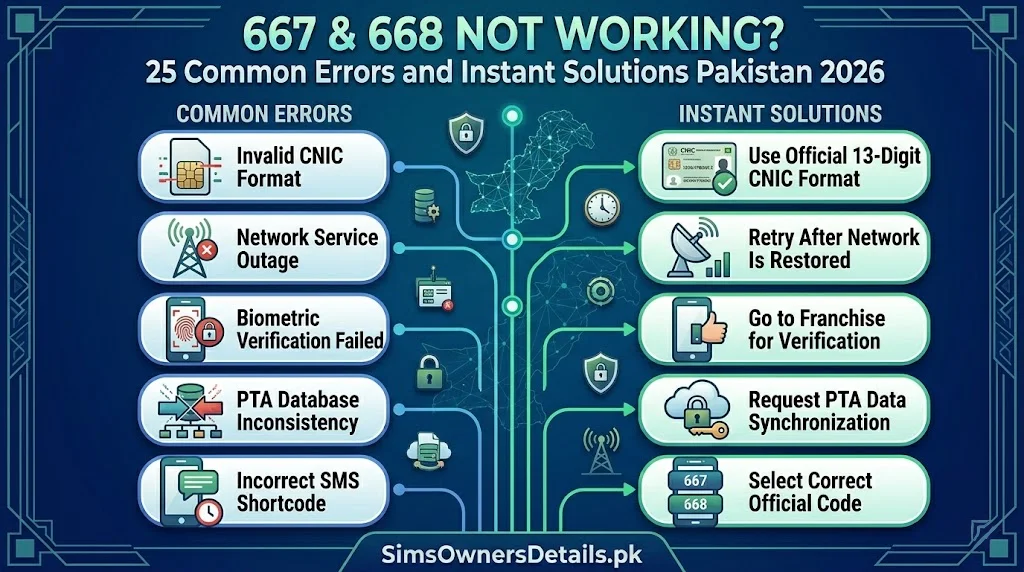
When 668 stops giving you SIM verification results — or 667 fails to initiate your MNP port — it can be both frustrating and alarming. These are critical tools that millions of Pakistanis depend on for fraud protection and network management, and when they fail, you need fast, reliable solutions.
The good news: the vast majority of 667 and 668 errors are caused by one of a small number of fixable issues — a formatting mistake in the CNIC number, a temporarily blocked SIM, a network congestion issue, or a simple handset setting. This guide covers all 25 documented error scenarios for both services — with instant, actionable solutions for each.
Most Common Fix: If either 667 or 668 is not responding, the #1 cause is a CNIC number entered with dashes. Remove all dashes and spaces — type exactly 13 consecutive digits — and retry.
Before Troubleshooting — Quick Diagnostic Checklist
Before working through specific errors, run this 60-second diagnostic:
| Check | How to Test | If Yes |
|---|---|---|
| Can you send a regular SMS? | Send a test SMS to a friend | SMS working — problem is specific to 667/668 |
| Does your SIM have signal? | Check signal bars | No signal → move to better coverage area |
| Is your SIM blocked? | Try calling from it | Cannot call → SIM may be blocked/suspended |
| Is your CNIC correct? | Count digits on your card | Exactly 13 digits, no dashes |
| Are you in Pakistan? | Check your location | Abroad → use cnic.sims.pk instead of 668 |
This checklist eliminates 80% of issues before you go further.
PART 1: 668 Not Working — 15 Common Errors and Solutions
Error 1: No Reply After 5 Minutes
Symptoms: You sent your CNIC to 668 and received nothing — no confirmation, no error, no results.
Causes:
- Network congestion at PTA’s 668 processing server
- Temporary system maintenance
- SMS delivery failure (your outgoing SMS was not received by 668’s server)
Solutions:
- Wait 5–10 minutes and try again — server congestion resolves quickly
- Confirm your SMS actually sent (check your sent messages folder)
- Try from a different SIM (different operator) — if it works, the issue is your original SIM’s SMS delivery
- If no reply from any SIM, try the cnic.sims.pk web portal instead — it gives the same information via internet
Error 2: “Invalid CNIC” Response
Symptoms: 668 replies with “Invalid CNIC” or “CNIC not recognized.”
Causes:
- CNIC entered with dashes (e.g., 35202-1234567-1 instead of 3520212345671)
- CNIC entered with spaces
- Typing error — wrong digit(s)
- CNIC number is fewer or more than 13 digits
Solutions:
- Open your CNIC card physically and read each digit carefully
- Type exactly 13 consecutive digits — no dashes, no spaces, no other characters
- Count the digits after typing — must be exactly 13
- Try the autocorrect trap: some phones autocorrect numbers into formatted strings — disable autocorrect or type in a plain text field first, then paste
Error 3: “Service Temporarily Unavailable”
Symptoms: 668 replies with a service unavailability message.
Causes:
- PTA server scheduled maintenance
- Unusually high demand period (common after major fraud news or PTA campaigns)
- Technical issue at PTA’s CSRS
Solutions:
- Wait 15–30 minutes and retry
- Check if there are PTA announcements about maintenance (PTA’s social media or pta.gov.pk)
- Use cnic.sims.pk (web portal) as an alternative — it is a separate system that may be working when SMS is down
- If unavailable for more than 2 hours, call PTA helpline 0800-55055 to confirm status
Error 4: “CNIC Not Found in Database”
Symptoms: 668 returns a “not found” or “no record” message despite correct CNIC entry.
Causes:
- CNIC registered in NADRA’s database but with a data discrepancy
- Newly issued CNIC not yet fully integrated into the PTA-NADRA linked database
- CNIC is from a special category (diplomatic, institutional) with different database handling
Solutions:
- Retry after 24 hours — newly issued CNICs may take time to propagate
- Visit your operator’s franchise with your original CNIC for direct biometric verification
- Visit NADRA Registration Centre to confirm your CNIC record is correctly registered
- Call PTA 0800-55055 and report the no-result issue for investigation
Error 5: Results Show Zero SIMs But You Have Active SIMs
Symptoms: 668 reply shows “Registered SIMs: 0” but you are using an active SIM.
Causes:
- Your SIM is registered under a different CNIC (registration error at original franchise)
- Your SIM was registered before 2015 biometric campaign and not re-verified
- BVS (Biometric Verification) not completed — SIM not yet fully linked in CSRS
- The CNIC you entered has a typo
Solutions:
- Recheck your CNIC number — type it again very carefully
- Try sending from the specific SIM that you believe is on your CNIC — this is not required but confirms your SIM is active
- Visit your operator’s franchise with your original CNIC for biometric verification
- Ask the franchise representative to check which CNIC your SIM is registered under — it may need correction
Error 6: Results Show Fewer SIMs Than You Own
Symptoms: 668 shows 2 SIMs but you own 3.
Causes:
- One SIM is temporarily deactivated (zero activity, bill not paid, operator suspension)
- One SIM has BVS Pending status and is not yet confirmed in CSRS
- One SIM was registered under a different CNIC
Solutions:
- Identify which SIM is missing from the results
- Check if that SIM is still active (try calling from it)
- If active but missing: visit that operator’s franchise for BVS status check
- If inactive: either reactivate or accept the deactivation
Error 7: 668 Reply Shows Garbled or Incomplete Text
Symptoms: The SMS reply from 668 arrives but shows incomplete information, broken characters, or formatting errors.
Causes:
- SMS encoding issue between 668’s server and your phone
- Your phone does not support the SMS format used by 668 (rare on modern phones)
- Long SMS split across multiple message segments that did not arrive in order
Solutions:
- If the message is split across multiple SMS: ensure all parts arrived and read them in sequence
- Try reading on a different phone — copy your SIM to another device
- Use cnic.sims.pk for the same information in a cleaner web format
- Reply to the 668 message with your CNIC again — a retry sometimes produces a cleaner result
Error 8: 668 Shows Results for the Wrong Person
Symptoms: The reply comes back with SIMs but you do not recognize any of the numbers — they do not match your known SIMs at all.
Causes:
- You entered the wrong CNIC — possibly a family member’s or similar number
- Your CNIC may have been incorrectly recorded in NADRA/PTA database
Solutions:
- Very carefully re-read your CNIC card and confirm the 13 digits match what you sent
- If you are certain the CNIC is correct but results are wrong: visit NADRA with your original CNIC to investigate a potential database issue
- Call PTA 0800-55055 to report the data discrepancy
Error 9: 668 Works From One Network But Not Another
Symptoms: Sending from your Jazz SIM gives results but sending from your Zong SIM gives no response (or vice versa).
Causes:
- Specific operator’s SMS routing to the 668 short code is experiencing an issue
- Your SIM on that operator may be blocked for outgoing SMS
Solutions:
- Check if you can send regular SMS from the non-working SIM
- If regular SMS works but 668 does not: the operator has a routing issue — call their helpline (Jazz 111, Zong 310 etc.) to report
- Use the working SIM or cnic.sims.pk as your verification method in the meantime
Error 10: 668 Showing an Unknown SIM — False Alarm or Real Fraud?
Symptoms: 668 shows a number you do not immediately recognize.
Verification steps before alarming:
- Could it be an old SIM you forgot about?
- Could it be a family SIM registered on your CNIC at your request?
- Could it be a SIM whose number you simply do not remember?
How to confirm:
- Try calling the unknown number from another phone — if you recognize the SIM, it is yours
- Check with family members who may have had a SIM registered on your CNIC
If confirmed unauthorized: Report immediately to PTA 0800-55055. This is real fraud — act the same day.
Error 11: 668 Works But Results Seem Outdated
Symptoms: You blocked a SIM yesterday but it still appears in today’s 668 check.
Cause: The blocking process takes 24–48 hours to fully reflect in PTA’s CSRS database.
Solution: Wait 48 hours after blocking and re-check. If the SIM still appears after 72 hours, call PTA 0800-55055 with your complaint reference number to confirm the block was processed.
Error 12: CNIC Entered Correctly But “Invalid Format” Error Persists
Symptoms: You have checked your CNIC carefully but 668 keeps returning format errors.
Possible hidden causes:
- Your phone’s SMS autocorrect is adding invisible characters or formatting
- Copy-pasting the CNIC from somewhere adds hidden spaces
Solutions:
- Type the CNIC manually — do not copy-paste
- Disable SMS autocorrect before typing
- Type the CNIC in your phone’s notes app first, confirm it appears as 13 clean digits, then manually retype it in the SMS app
Error 13: 668 Reply Arrives in Urdu/Wrong Language
Symptoms: The 668 reply is in Urdu and you cannot read it.
Solution: This is the system’s language setting — not an error. The numbers in the reply are the important information. Focus on the numbers shown (0300-xxxxxxx, 0312-xxxxxxx etc.) and count how many are shown. That is your SIM count. If you cannot read the Urdu text, use cnic.sims.pk for an easier-to-read English output.
Error 14: 668 Not Working After CNIC Renewal
Symptoms: Your CNIC was recently renewed by NADRA. Now 668 is not returning results or returning different results.
Cause: NADRA’s system takes 24–48 hours to propagate renewed CNIC data to PTA’s CSRS.
Solution: Wait 48 hours after CNIC renewal and retry. Your SIM registrations remain unchanged — they will reappear in 668 results once the database update propagates.
Error 15: Balance Deducted for 668 SMS
Symptoms: You sent to 668 and your balance was deducted.
Cause: In rare cases, an operator may have misconfigured the 668 short code billing — 668 is mandated by PTA to be free.
Solution:
- Check your balance before and after the SMS to confirm deduction
- If confirmed deducted: call your operator’s helpline immediately (Jazz 111, Zong 310, Telenor 345, Ufone 333)
- Report the unauthorized charge to PTA at 0800-55055 — operators are prohibited from charging for 668
PART 2: 667 Not Working — 10 Common Errors and Solutions
Error 16: No Port Confirmation After Sending CNIC to 667
Symptoms: You sent your CNIC to 667 to initiate a port and received no response.
Causes:
- Your SIM is ineligible for porting (contract, pending dues, BVS incomplete)
- SMS was not delivered to 667’s server
- Number is already in a pending port process
Solutions:
- Confirm your SMS was sent (check sent folder)
- Ensure your SIM is eligible: no outstanding bills, no active fraud complaint, BVS verified
- Try again from the specific SIM number you want to port — not a different SIM
- Visit the recipient network’s franchise and have them initiate the port on your behalf
Error 17: Port Rejected — “Objection Filed by Donor Operator”
Symptoms: You receive a rejection message citing an objection from your current operator.
Common valid rejection reasons:
- Outstanding postpaid bill
- Postpaid contract minimum period not yet completed
- Active fraud complaint on the number
- BVS pending — biometric not completed
- Number reported as lost/stolen
Solutions:
- Call your current operator and ask for the specific objection reason
- If a bill: pay immediately and re-initiate the port
- If BVS: complete biometric at a franchise first
- If fraud complaint: resolve the complaint then retry
- If the objection is invalid: file a complaint with PTA at 0800-55055
Error 18: Port Completed But New SIM Not Working
Symptoms: The port was confirmed complete but the new SIM shows no service.
Cause: Technical activation delay on the recipient network, or the new SIM kit needs manual activation.
Solutions:
- Restart your phone with the new SIM inserted
- Wait up to 2 hours — port activation sometimes takes time to propagate
- Visit the recipient network’s franchise immediately with the new SIM and your CNIC for manual activation
Error 19: Old SIM Deactivated But Port Not Complete
Symptoms: Your old SIM stopped working but the new SIM has not activated.
Cause: A gap in the port timing — the donor operator processed the port-out before the recipient operator completed the port-in.
Solution: This is an emergency — visit the recipient operator’s franchise with your CNIC and Port Request ID immediately. They can manually complete the activation. Bring your new SIM kit.
Error 20: Received Unexpected Port Confirmation for a Number You Did Not Port
Symptoms: You receive a port confirmation message for a SIM swap you never requested.
Cause: Someone is attempting to port your number fraudulently — this is a serious fraud alert.
Solutions — Act within minutes:
- Reply to the confirmation SMS with the cancellation code shown in the message
- Call your current operator immediately (Jazz 111, Zong 310, Telenor 345, Ufone 333)
- Call PTA 0800-55055 and report unauthorized port attempt
- Do not switch off your phone — keep your current SIM active to receive the cancellation confirmation
Error 21: 667 Returns “Number Not Eligible for MNP”
Symptoms: You receive a message saying your number is not eligible for porting.
Common causes:
- The number was ported less than 90 days ago (minimum waiting period between ports)
- The number is a corporate postpaid number under contract
- Administrative hold placed by PTA or current operator
Solutions:
- Check when you last ported — if within 90 days, wait for the period to complete
- Call your current operator to confirm the specific ineligibility reason
- If you believe the ineligibility is incorrect, file a complaint with PTA
Error 22: Port Request ID Never Received
Symptoms: You initiated a port via 667 or at a franchise but never received the Port Request ID confirmation SMS.
Cause: SMS delivery failure for the confirmation message, or the port request was not processed.
Solutions:
- Check with the franchise or recipient operator — they can look up whether a port request was created
- Resend your CNIC to 667 from the SIM you want to port
- Call the recipient operator’s helpline with your SIM number to check port status
Error 23: Port Taking Longer Than 24 Hours
Symptoms: Port was initiated over 24 hours ago with no update.
Cause: The donor operator has raised an objection or the process is experiencing a system delay.
Solutions:
- Call the donor operator (current network) and ask if an objection was raised
- Call the recipient operator and ask for port status using your Port Request ID
- If no valid objection and timeline exceeded: file a complaint with PTA at 0800-55055 citing the delay
Error 24: Wrong SIM Was Ported
Symptoms: The port completed but it ported a different SIM than the one you intended.
Cause: You sent 667 from the wrong SIM, or the franchise entered the wrong number.
Solutions:
- Immediately call the recipient network to clarify the error
- The incorrectly ported SIM may need to be ported back to its original network
- Then re-initiate the correct port
- If franchise error: they are responsible for correction — do not pay additional fees for the correction
Error 25: Both 667 and 668 Not Working Simultaneously
Symptoms: Neither service is responding from any of your SIMs.
Most likely cause: You are in a poor coverage area where SMS delivery is failing entirely.
Solutions:
- Move to an area with better signal strength
- For 668: use cnic.sims.pk (web portal) as an alternative
- For 667: visit the recipient network’s franchise in person — they can initiate the port without needing 667 SMS
- If SMS is working for regular messages but both short codes fail: there may be a PTA system issue — call 0800-55055
For comprehensive SIM monitoring resources and the complete official toolkit for Pakistani mobile users, visit simsownersdetails.pk/sim-info/.
Summary — Alternative Tools When 667/668 Are Not Working
| If This Fails | Use This Instead |
|---|---|
| 668 SMS | cnic.sims.pk web portal |
| cnic.sims.pk | 668 SMS |
| 667 MNP SMS | Visit recipient network’s franchise |
| Both 667 and 668 | Visit operator franchise + call PTA 0800-55055 |
Frequently Asked Questions — 667/668 Not Working
Q: What is the single most common reason 668 does not work?
A: CNIC entered with dashes (e.g., 35202-1234567-1 instead of 3520212345671). Remove all dashes and retry — this fixes the majority of 668 failures.
Q: My 668 SMS sends but there is zero reply even after 30 minutes. What next?
A: First try from a different SIM. If that also fails, use cnic.sims.pk. If both fail, call PTA 0800-55055 to check if there is a system outage.
Q: I accidentally sent to 668 when I meant 667. Did I start a port?
A: No. Sending your CNIC to 668 is a read-only query — it never starts a port. Only sending to 667 can initiate an MNP process.
Q: How long should a 668 reply normally take?
A: 30–60 seconds in normal conditions. Up to 3–5 minutes during high traffic. If no reply after 10 minutes, retry or use cnic.sims.pk.
Q: Is there a daily limit on how many times I can use 668?
A: PTA has not published a specific rate limit for 668. Multiple queries per day are generally possible for normal monitoring use. If you are making dozens of queries rapidly, the system may temporarily throttle responses.
Q: My 667 port was cancelled without my request. What happened?
A: Either you sent a cancellation message inadvertently, or your current operator raised a valid objection and the port expired without confirmation. Call PTA 0800-55055 to investigate.
Q: Can I use 668 if my SIM is on zero balance?
A: Yes. The 668 service is free and does not require any balance — it does not deduct from your account. Even a zero-balance SIM can send the SMS successfully.
Conclusion
668 and 667 are among the most reliable tools in Pakistan’s mobile ecosystem — but like any technology, they can encounter errors. The 25 issues covered in this guide account for the overwhelming majority of failure scenarios. The fastest fixes: check your CNIC format first, try a different SIM second, and use cnic.sims.pk as the backup for 668 checks.
For Pakistan’s most complete SIM verification and CNIC protection resource, visit Sim Owner Details — and explore our CNIC information guide for the complete toolkit of official tools protecting your mobile identity in 2026.
Related Guide:
- SIM Information Check by Mobile Number Pakistan 2026 — Free Official Guide
- 667 vs 668 Pakistan 2026 — Which SIM Check Method to Use When Complete Comparison
- Zong USSD Codes Complete List 2026 — All *310# Codes and Hidden Features
- 668 CNIC Check Advanced Uses 2026 — 12 Hidden Features Most Pakistanis Don’t Know
 SIM OWNER DETAILS