
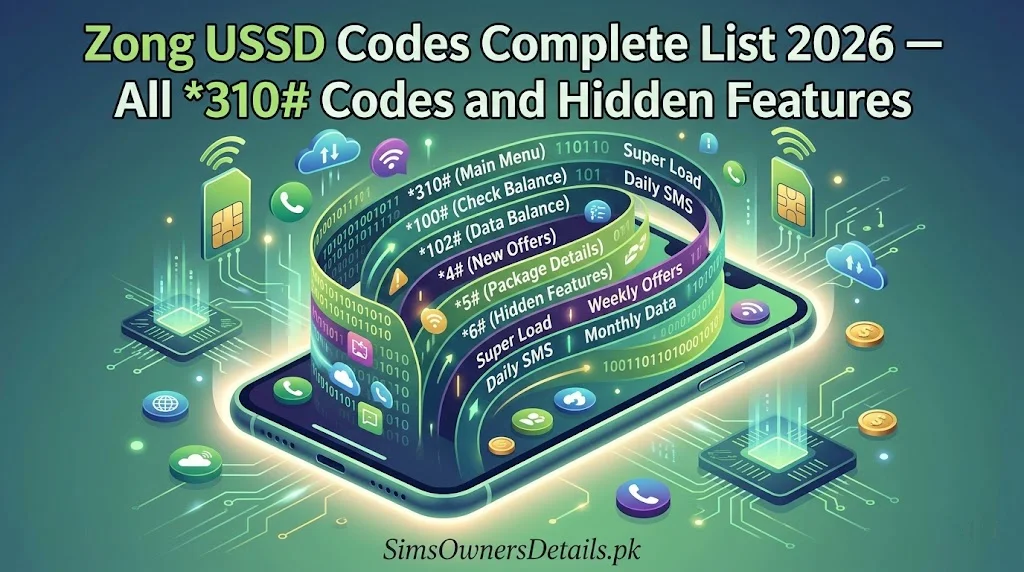
Zong is Pakistan’s fastest-growing mobile network — the country’s leading 4G and 5G operator, with over 45 million subscribers and the widest data coverage in Pakistan. As a China Mobile subsidiary, Zong has invested heavily in both network infrastructure and customer self-service tools, resulting in one of the most powerful USSD code systems available on any Pakistani network.
Zong’s USSD codes allow you to check your balance, manage data packages, verify your SIM registration details, access MyCash mobile wallet services, activate international roaming, and manage your complete account — all without internet, without downloading any app, and from even the most basic phone.
This is the complete, verified, and up-to-date Zong USSD code list for 2026 — every code categorized, explained, and ready to use.
Most Important Zong USSD Code: Dial
*102#from any Zong SIM to check your account balance instantly — no internet, no app, completely free.
How Zong USSD Codes Work
USSD (Unstructured Supplementary Service Data) is a real-time signalling protocol built into every mobile network. Zong’s USSD codes operate over the network’s control channel — completely separate from data or voice calls. This means:
- Zero data required — codes work when your data balance is zero
- Works on all phones — from basic keypad phones to the latest 5G smartphones
- Instant response — results appear within 2–5 seconds
- Always available — 24/7, including when Zong’s app servers are experiencing issues
- Free to access — most Zong USSD menus are free to access (you pay only when activating a paid service)
How to use any Zong USSD code: Open your phone dialer → Type the code exactly as shown (include all * and # symbols) → Press the green call/dial button → Wait 2–5 seconds for the response to appear.
Zong’s USSD system also serves as a direct gateway to verify your SIM’s biometric registration status — one of the most important checks any Pakistani mobile user can perform. For the complete picture of how Zong SIM registrations appear in Pakistan’s national SIM database, visit our Pakistan SIM database guide.
Zong Balance and Account USSD Codes
Core Balance Check Codes:
| Code | Function | Notes |
|---|---|---|
*102# | Main account balance | Most used — shows Rs. balance |
*100# | Check your own Zong number | Displays your number on screen |
*310# | Main Zong self-service menu | Full account management portal |
*310*1# | Account information submenu | Balance, validity, account status |
*6767# | Data balance check | Shows remaining internet MBs/GBs |
*102*1# | Main balance with validity | Shows balance + expiry date |
Checking Your Zong Number:
If you have multiple SIMs and cannot remember which Zong number is in your phone:
- Open dialer
- Dial
*100# - Press call
- Your Zong number displays immediately
Alternative: Dial *310# → Select “My Account” → Select “My Number.”
Zong Internet and Data USSD Codes
Zong’s data network is Pakistan’s most extensive — and the USSD system provides complete data management without requiring the My Zong app.
Data Balance Check Codes:
| Code | Function |
|---|---|
*6767# | Total remaining internet data |
*102*1# | Balance including data details |
*310*3# | Internet packages submenu |
*6060# | Social media bundle status |
*310*3*2# | Check active internet packages |
Data Package Activation Codes:
| Package Type | Code | Details |
|---|---|---|
| Daily packages menu | *310*3*1# | Shows all daily options |
| Weekly packages menu | *310*3*2# | Shows all weekly options |
| Monthly packages menu | *310*3*3# | Shows all monthly options |
| Daily basic (250MB) | *6464*1# | 1-day validity |
| Weekly standard | *6464*2# | 7-day validity |
| Monthly premium | *6464*3# | 30-day validity |
| 5G packages menu | *310*5# | Zong 5G-specific packages |
Zong 5G USSD Note: Zong is Pakistan’s leading 5G operator. If you are in a 5G coverage area with a 5G-capable device, dial *310*5# to see 5G-exclusive data packages that offer higher speeds and often better value than standard 4G packages.
Zong Call and SMS USSD Codes
Call Package Codes:
| Code | Function |
|---|---|
*310*2# | Voice packages menu |
*310*2*1# | Daily call packages |
*310*2*2# | Weekly call packages |
*310*2*3# | Monthly call packages |
*310*2*4# | Zong-to-Zong specific offers |
*102*2# | Remaining call minutes |
SMS Package Codes:
| Code | Function |
|---|---|
*310*4# | SMS packages menu |
*310*4*1# | Daily SMS package |
*310*4*2# | Weekly SMS package |
*102*3# | Remaining SMS balance |
All-in-One Bundle Code:
*310# is Zong’s master self-service menu. From this menu you can access all packages — data, calls, SMS, and combination bundles — in one place. This is the recommended starting point for new Zong users.
Zong SIM Information and Registration Verification Codes
These codes give you direct access to your Zong SIM’s registration and account details:
| Code | Function |
|---|---|
*310# → Account Info | Full SIM registration details |
*310*1*1# | My information (CNIC-linked details) |
*310*1*2# | Account status (active/suspended/blocked) |
*100# | Own number display |
310 | Helpline — request full SIM verification |
How to Check Your Zong SIM’s Registration Status:
- Dial
*310#from your Zong SIM - Navigate to “My Account” or “Account Information”
- Select “My Information” or “SIM Details”
- Your CNIC (partially masked) and registration status display
- If BVS is pending, you will see a notification to visit a franchise
Cross-network check: To see ALL SIMs on your CNIC across Jazz, Zong, Telenor, and Ufone simultaneously, send your CNIC number to 668 via SMS — this queries PTA’s national database, not just Zong’s system.
For comprehensive monitoring of your CNIC-linked SIM registrations across Pakistan’s entire network, use the tools at simsownersdetails.pk/sim-info/.
Zong Emergency Credit (Advance) Codes
When your Zong balance is critically low, the advance system provides instant emergency credit:
| Code | Function | Notes |
|---|---|---|
*9191# | Request Zong advance | Amount varies by eligibility |
*310*6# | Advance menu | Check eligibility and amount |
*310*6*1# | Check advance eligibility | Shows qualifying amount |
*310*6*2# | Outstanding advance check | Shows current advance debt |
Zong Advance Eligibility:
Zong’s advance eligibility is based on:
- Minimum account age: typically 3 months
- Regular usage history (calls, data, SMS)
- Clean recharge record
- No active advance already outstanding
The advance is automatically deducted from your next recharge — you cannot manually repay it early.
Zong MyCash USSD Codes
MyCash is Zong’s mobile financial services platform — Pakistan’s third-largest mobile wallet:
| Code | Function |
|---|---|
*828# | Main MyCash menu |
*828*1# | Check MyCash balance |
*828*2# | Send money |
*828*3# | Mobile top-up |
*828*4# | Utility bill payment |
*828*5# | Cash withdrawal setup |
*828*6# | Account settings and PIN change |
*828*9# | MyCash customer support |
MyCash Security via USSD:
Every MyCash transaction via USSD requires your 5-digit MyCash PIN. This PIN is separate from your Zong account. To reset a forgotten MyCash PIN:
- Dial
*828# - Select “Settings”
- Select “Forgot PIN”
- Follow the OTP-based reset process
Security warning: Never share your MyCash PIN with anyone. Never provide it over an incoming call. Zong will never call you to request your MyCash PIN.
Zong International Roaming USSD Codes
For Zong subscribers traveling internationally:
| Code | Function |
|---|---|
*310*7# | International roaming menu |
*310*7*1# | Activate international roaming |
*310*7*2# | Deactivate international roaming |
*310*7*3# | Check roaming status |
*310*7*4# | International roaming packages |
310 | Zong helpline (reachable internationally) |
Pre-departure checklist:
- Activate roaming before leaving Pakistan:
*310*7*1# - Note: Zong has roaming agreements in 200+ countries due to China Mobile’s global network
- Activating roaming abroad is possible but may take longer — activate in Pakistan for fastest setup
Zong Value-Added Services and Settings Codes
| Code | Function |
|---|---|
*310*8# | Subscription manager — see all active paid services |
*310*8*2# | Unsubscribe from unwanted services |
*706# | Caller tune settings |
*404# | Call forwarding management |
*21*[number]# | Forward all calls to specific number |
##21# | Cancel all call forwarding |
*43# | Activate call waiting |
#43# | Deactivate call waiting |
*330# | Do Not Disturb (block promotional calls) |
*300# | Missed call alert settings |
How to Audit and Cancel Unwanted Zong Subscriptions:
Many users discover they are paying for Zong value-added services they never intentionally subscribed to. These charges appear as small deductions from your balance every day or week.
Step 1: Dial *310*8# Step 2: Select “My Subscriptions” or “Active Services” Step 3: Review all listed services carefully Step 4: Select “Unsubscribe” for any service you do not want Step 5: Confirm the cancellation
For automated subscription traps, you can also send “STOP ALL” as an SMS to 310 — this is a blanket unsubscribe command for most Zong promotional services.
Zong Network and Technical USSD Codes
| Code | Function |
|---|---|
*#06# | Check your phone’s IMEI number |
*100# | Own Zong number check |
*99# | SIM ICCID number check |
*310*9# | Network diagnostics menu |
*623# | Signal quality indicator |
IMEI Check and DIRBS Verification:
Dial *#06# to get your device’s IMEI → Send this IMEI via SMS to 8484 → Receive PTA DIRBS compliance confirmation for your device. This is especially important for Zong users who have recently purchased a second-hand phone.
Zong Helpline and Support Codes
| Contact | Code/Number | Cost |
|---|---|---|
| Customer care (live agent) | 310 | Free from Zong |
| Self-service menu | *310# | Free |
| MyCash support | *828*9# | Free |
| SMS for issues | Text issue to 310 | Standard SMS rate |
| Fixed helpline | 021-310 | Standard call rate |
Navigating Zong 310 Helpline Faster:
When calling 310, use these IVR shortcuts:
- Press 1 for Urdu
- Press 2 for English
- Press 3 for account and billing issues
- Press 4 for internet and data issues
- Press 5 for MyCash/financial services
- Press 0 to reach a live agent (expect queue during peak hours 6–9 PM)
Zong USSD Codes — Complete Quick Reference
| Category | Code | Function |
|---|---|---|
| Balance | *102# | Main account balance |
| Own number | *100# | Display your Zong number |
| Data balance | *6767# | Internet remaining |
| All packages | *310# | Full self-service menu |
| Voice packages | *310*2# | Call packages menu |
| Data packages | *310*3# | Internet packages menu |
| SMS packages | *310*4# | SMS packages menu |
| 5G packages | *310*5# | 5G-specific offers |
| SIM info | *310*1*1# | SIM registration details |
| Advance | *9191# | Emergency credit |
| Subscriptions | *310*8# | Active services manager |
| MyCash | *828# | Mobile wallet menu |
| Roaming | *310*7# | International roaming |
| IMEI | *#06# | Device IMEI check |
| Helpline | 310 | Free customer care |
Frequently Asked Questions — Zong USSD Codes 2026
Q: Why does my Zong USSD code return “Request Processing Failed”?
A: This typically means Zong’s USSD server is temporarily overloaded or there is a network issue in your area. Wait 5 minutes and try again. If the problem persists, try from a different location or call Zong 310.
Q: Can I use Zong USSD codes while abroad on international roaming?
A: Some Zong USSD codes work on international roaming — particularly balance checks. However, USSD availability depends on the foreign operator’s network compatibility. The Zong 310 helpline is the most reliable support channel when abroad.
*Q: Does Zong charge for dialing 310#?
A: Accessing the *310# menu itself is free. You are only charged when you confirm activation of a paid package or service through the menu.
Q: How do I stop all Zong subscription deductions?
A: Dial *310*8# to see all active subscriptions and unsubscribe individually. Or send “STOP ALL” as an SMS to 310 for a bulk cancellation of promotional services.
Q: My Zong 5G package (3105#) says “not available.” Why?
A: Zong 5G packages require: a 5G-capable device, a Zong SIM that supports 5G (may need SIM upgrade at franchise), and physical location within Zong’s 5G coverage area. If all three conditions are met and the code still fails, call Zong 310.
Q: How do I check my remaining Zong advance amount?
A: Dial *310*6*2# — this shows any outstanding advance balance that will be deducted on your next recharge.
Q: Can I activate Zong packages via USSD if my balance is zero?
A: No — you need sufficient balance to activate packages. However, you can access the emergency advance via *9191# if you qualify, then use that credit to activate a package.
Q: What is the Zong code to check if my SIM is biometrically verified?
A: Dial *310#, navigate to “My Account” → “Account Information.” The BVS status will show as “Verified” or “Pending.” If pending, visit any Zong service centre with your CNIC to complete biometric verification.
Summary
Zong’s USSD system is comprehensive, feature-rich, and completely internet-independent — making it one of the most powerful self-service tools for Pakistani mobile users. The *310# master menu is your starting point for everything, and *102# is your fastest balance check.
For Pakistan’s most complete SIM verification and mobile identity protection resource, visit simsownersdetails.pk.
Related Guide:
- Jazz USSD Codes Complete List 2026 — All *321# Codes and Secret Features
- What Happens When a SIM Is Blocked by PTA in Pakistan 2026 — Complete Guide
- How to Check Zong SIM Owner Details Pakistan 2026 — 6 Free Methods
- How to Check SIM Owner Details in Pakistan 2026 — 7 Free Official Methods
- How to Renew Expired CNIC in Pakistan 2026 — NADRA Complete Guide
 SIM OWNER DETAILS