
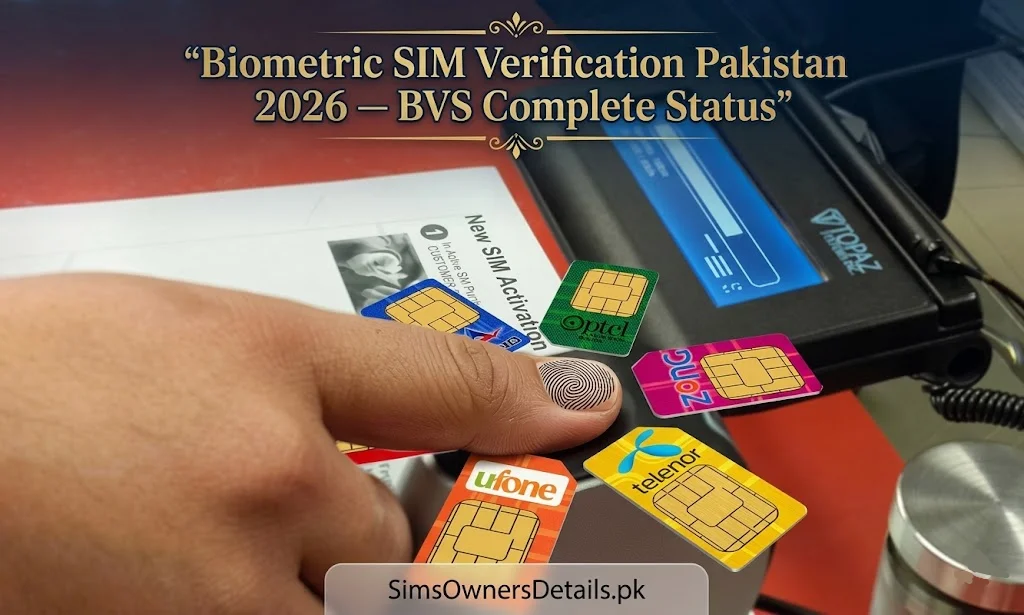
Biometric SIM Verification (BVS) is the technological backbone of Pakistan’s entire mobile identity system. Every SIM card active in Pakistan — regardless of network — must be tied to a biometrically verified CNIC. This means a real person’s fingerprint, matched against NADRA’s national biometric database, is the foundation of every legitimate mobile registration in the country.
Understanding how BVS works, why it exists, what your BVS status means for your SIM, and how to verify or re-verify your biometric registration is essential knowledge for every Pakistani SIM holder in 2026. This guide covers every dimension of biometric SIM verification in Pakistan — from the technical infrastructure to the practical steps every citizen needs to take.
Quick Answer: Your SIM’s biometric status can be verified by visiting any operator franchise with your CNIC. The franchise’s biometric terminal will confirm whether your SIM is correctly registered against your NADRA fingerprint record.
What Is Biometric SIM Verification (BVS)?
Biometric SIM Verification is the process of confirming that a SIM card is registered using the actual biological identity of the person it is issued to — specifically, by matching the registrant’s fingerprint against NADRA’s national biometric database in real time.
In simpler terms: when you register a SIM in Pakistan, you place your finger on a scanner, the scanner sends your fingerprint to NADRA, NADRA confirms it matches your CNIC, and only then is the SIM legally registered in your name.
This process is:
- Mandatory for every new SIM registration in Pakistan since 2015
- Real-time — the fingerprint match happens in seconds via encrypted connection to NADRA
- Non-bypassable through legitimate channels — no biometric match, no SIM
- The strongest protection against fraudulent SIM registration in Pakistan’s system
BVS is what separates Pakistan’s current SIM registration system from the pre-2015 era when SIMs could be registered with unverified documents and no biometric confirmation.
Why BVS Was Introduced — The Security Crisis of Pre-2015 Pakistan
Before the 2015 National Biometric Verification Campaign, Pakistan’s SIM registration system was severely compromised:
Scale of the problem (pre-2015):
- Millions of SIMs were registered using forged, borrowed, or stolen CNICs
- Criminal networks operated large-scale fraud call centres using unverified SIMs
- Terrorist organizations used unregistered and fraudulently registered SIMs to coordinate attacks
- Police and intelligence agencies could not trace criminal communications through mobile networks
The government response: In January 2015, PTA — in coordination with NADRA and all four major operators — launched an emergency biometric re-verification campaign. Every active SIM in Pakistan was required to be re-verified using the owner’s fingerprint against NADRA’s database within a fixed timeframe.
The outcome:
- Over 40 million SIMs that could not be biometrically verified were permanently blocked
- Pakistan’s SIM registration system became one of the most biometrically rigorous in the world
- Criminal and terrorist network communication through unverified SIMs was significantly disrupted
- Every new SIM sold in Pakistan since 2015 requires biometric verification before activation
BVS is now the permanent, mandatory standard for all SIM registrations in Pakistan.
How Biometric SIM Verification Works — Technical Process
Understanding the BVS process step by step demystifies what happens when you register a SIM:
Step 1 — Franchise Equipment: The operator franchise has a certified biometric terminal provided and regulated by PTA. This terminal contains a fingerprint scanner and a secure, encrypted connection to NADRA’s servers.
Step 2 — CNIC Entry: The franchise representative enters your CNIC number into the biometric terminal system.
Step 3 — Fingerprint Capture: You place your finger on the biometric scanner. The terminal captures your fingerprint as a high-resolution biometric template.
Step 4 — NADRA Real-Time Match: The fingerprint template is encrypted and transmitted in real time to NADRA’s National Identity Management System (NIMS). NADRA’s system compares your captured fingerprint against all 10 fingerprints stored for your CNIC.
Step 5 — Match Confirmation: If a fingerprint match is confirmed above the system’s accuracy threshold, NADRA sends a confirmation code to the franchise terminal. The SIM registration proceeds.
Step 6 — PTA Database Update: PTA’s Centralized SIM Registration System (CSRS) records the verified registration — linking the SIM number to your CNIC with a biometric confirmation timestamp.
Step 7 — SIM Activation: The SIM is activated on the operator’s network. The entire process takes approximately 2–5 minutes.
Biometric SIM Verification Status — What Each Status Means
Your SIM can have one of several biometric status indicators in the PTA system:
Status: BVS Verified ✅
Your SIM is correctly registered and your fingerprint has been successfully matched against NADRA’s database. This is the normal, desired status. No action required.
Status: BVS Pending ⚠️
Your SIM was registered but the biometric verification is pending — this can happen if the NADRA connection was down during registration, or if a manual override was used. You should visit the franchise to complete biometric verification. SIMs in pending status may be subject to blocking.
Status: BVS Failed ❌
Your fingerprint did not match the CNIC entered during registration. This can indicate:
- Your actual fingerprint has changed (injury, aging, skin condition)
- The SIM was registered with the wrong CNIC
- A fraudulent registration attempt was made using your CNIC but a different person’s fingerprint
- A technical error in the biometric capture
Action required: Visit your operator’s franchise with your original CNIC to investigate and re-verify.
Status: BVS Blocked 🚫
Your SIM has been blocked due to biometric verification failure or regulatory action. The SIM cannot make or receive calls. Visit the franchise with your CNIC to resolve.
How to Check Your BVS Status — All Official Methods
Method 1: Franchise Biometric Verification (Most Complete)
The most thorough BVS status check requires visiting your operator’s franchise:
- Visit any franchise of your operator (Jazz, Zong, Telenor, or Ufone)
- Present your original CNIC
- Place your finger on the biometric terminal when asked
- The representative can see your full BVS status on their terminal
- If any issue exists, it can be resolved on the spot with a re-verification
What the franchise terminal shows:
- Current BVS status (Verified/Pending/Failed/Blocked)
- Date of last successful biometric verification
- CNIC associated with the SIM
- All other SIMs registered on the same CNIC
Method 2: 668 SMS Check (Indirect Confirmation)
While 668 does not directly show BVS status, it confirms your SIM is active in PTA’s system:
- Send your CNIC to 668
- If your SIM appears in the results → your registration is in the system
- If you own a SIM but it does not appear → possible BVS issue requiring franchise visit
Method 3: Operator Helpline (Remote)
Call your operator’s helpline to inquire about your SIM’s biometric status:
- Jazz: 111 (free from Jazz)
- Zong: 310 (free from Zong)
- Telenor: 345 (free from Telenor)
- Ufone: 333 (free from Ufone)
Ask specifically: “Can you check if my SIM’s biometric verification status is complete and verified?”
The helpline agent can see basic BVS status in their system and advise whether a franchise visit is needed.
Common BVS Problems and How to Resolve Them
Problem 1: Fingerprint Not Matching (BVS Failed)
Causes:
- Dry, cracked, or injured fingertips
- Skin conditions affecting fingerprint ridges
- Manual labor causing fingerprint wear
- Aging-related fingerprint changes
- Original registration done with different hand
Solutions:
- Try different fingers — you have 10 registered fingerprints in NADRA
- Moisturize your fingertips before the scan attempt
- Clean the scanner surface with a dry cloth
- Visit the franchise during cooler hours — heat affects fingerprint clarity
- If all fingers fail, visit NADRA to update your biometric record
Problem 2: SIM Registered With Wrong CNIC
Situation: You discover your SIM is linked to the wrong CNIC — possibly from a manual entry error at the franchise.
Solution:
- Visit your operator’s franchise with your original CNIC and your SIM
- Request a biometric re-registration
- The franchise will deregister from the incorrect CNIC and re-verify under yours
- This process typically takes 15–30 minutes
Problem 3: SIM Showing BVS Pending
Situation: Your SIM was registered but biometric verification was not completed (NADRA connection issue, system error, or incomplete registration).
Solution:
- Visit the franchise that originally registered your SIM, or any franchise of that operator
- Request a BVS completion
- Place your fingerprint on the biometric terminal to complete the verification
- SIM status updates to “Verified” within 30–60 minutes
Problem 4: Family Member Cannot Complete BVS
Situation: An elderly parent or family member with worn fingerprints cannot complete biometric verification.
Solution:
- Try all 10 fingers — different fingers may have clearer ridges
- Request a supervised multi-attempt verification at the franchise
- If fingerprints are completely unreadable due to aging or injury, NADRA has an alternative biometric process using iris scan (available at main NADRA centres)
- Contact NADRA directly for alternative verification processes for physically challenged individuals
Biometric SIM Verification for New SIM Registration — What to Expect
If you are registering a brand new SIM in Pakistan for the first time, here is exactly what the BVS process will involve:
What you must bring:
- Original CNIC (not a photocopy)
- Your physical presence (cannot be done remotely or by a proxy)
What happens at the franchise:
- The representative asks for your CNIC and enters the number
- The system checks how many SIMs are already on your CNIC (maximum 5 allowed)
- If you are under the limit, you proceed to biometric verification
- You place your finger on the scanner — the representative will guide you which finger and how to position it
- NADRA returns a match confirmation within 5–15 seconds
- The new SIM is registered and activated
What if biometric fails on first attempt:
- The representative will ask you to try a different finger
- Up to 3 attempts are typically allowed before the session is flagged
- If all attempts fail, you will be asked to visit a NADRA centre to update your biometric record
What if the NADRA system is down:
- The franchise cannot process biometric registrations without the NADRA connection
- You will need to return at a different time
- No SIM can be registered without biometric confirmation — no exceptions
BVS and SIM Replacement — What Changes When You Get a New SIM
When your existing SIM is physically damaged, lost, or you want a different SIM format (standard to nano), you need a SIM replacement:
Biometric requirement for replacement: Yes — full biometric verification is required for any SIM replacement, same as a new registration.
What happens to your old SIM:
- Your old SIM is deactivated immediately
- Your number, balance, and settings transfer to the new SIM
- The CNIC-linked registration remains the same — only the physical SIM card changes
- The BVS record is updated with the new SIM’s ICCID
Can someone else replace your SIM for you: No. SIM replacement requires your physical biometric presence. This is the primary protection against SIM swap fraud — the criminal must either have your actual fingerprint or a fake fingerprint mould to replace your SIM at a legitimate franchise.
For the complete picture of how the Pakistan SIM registration database stores and uses your biometric data, read our Pakistan SIM database guide.
BVS and SIM Fraud — How Criminals Bypass Biometric Verification
Understanding the vulnerabilities in BVS helps you recognize and report fraud:
Known bypass methods (all illegal and prosecutable):
Gelatin fingerprint moulds: Criminals have been documented creating fake fingerprint moulds using gelatin or silicone, cast from fingerprints obtained through deception (fake ink pad “surveys”) or from lifted prints. These can fool lower-quality biometric scanners.
Corrupt franchise insiders: Some franchise employees with system access have processed SIM registrations without proper biometric verification, using system vulnerabilities or simply bypassing required steps.
System downtime exploitation: During NADRA system outages, some franchises have processed SIM registrations manually — creating an opportunity for fraud without biometric checking.
How PTA is addressing these:
- Mandatory fingerprint scanner upgrades to liveness-detection capable devices
- Enhanced franchise compliance monitoring with random audits
- Strict penalties for franchises found processing unverified registrations
- Criminal prosecution of franchises complicit in BVS bypass fraud
Your role in prevention: Report any franchise that offers to register a SIM without biometric verification — or that offers to register a SIM for an absent person — to PTA at 0800-55055. These are serious regulatory violations.
Frequently Asked Questions — Biometric SIM Verification Pakistan
Q: Is biometric SIM verification mandatory for every SIM in Pakistan? A: Yes. Every SIM registration, replacement, and biometric re-verification in Pakistan requires a live fingerprint match against NADRA’s database. No exceptions exist for individual citizens through legitimate channels.
Q: What if I have no fingerprints due to a medical condition? A: NADRA has alternative biometric processes for individuals with conditions that prevent fingerprint registration. Contact your nearest NADRA Registration Centre or call NADRA helpline at 051-111-786-100 to arrange alternative biometric verification.
Q: Can my SIM be blocked if my BVS status is not verified? A: Yes. PTA periodically audits SIM registrations and SIMs with incomplete or failed BVS can be blocked until biometric verification is completed. Keeping your BVS status verified is essential to maintaining an active SIM.
Q: How often do I need to re-verify my biometrics for my SIM? A: Normally, once verified, your BVS status is permanent unless you request a SIM replacement, there is a biometric mismatch flagged in PTA’s system, or PTA conducts a re-verification campaign. For most users, a one-time verification during SIM registration is sufficient.
Q: Is it possible to register a SIM on behalf of an elderly parent who cannot visit the franchise? A: No. BVS requires the actual physical presence of the person whose CNIC the SIM is being registered under. However, you can accompany them and assist — but their fingerprint must be scanned in person.
Q: My biometric failed at the franchise. What should I do? A: First, try different fingers. Ensure your hands are clean and at a comfortable temperature. If all attempts fail, visit your nearest NADRA Registration Centre to check whether your biometric record needs updating — this is especially common for individuals over 60 or with physically demanding occupations.
Q: Can a SIM registered via biometric fraud (fake fingerprint) be traced back to the criminal? A: Yes. The biometric data captured — even from a fake mould — creates a record that forensic investigators can analyze. Combined with franchise CCTV footage and registration timestamps, this has led to successful prosecutions of BVS fraud cases in Pakistan.
Q: Does BVS work for SCO SIMs in AJK and Gilgit-Baltistan? A: Yes. SCO (Special Communication Organization) SIMs operate under the same biometric verification requirement via the same NADRA-PTA infrastructure. BVS is mandatory for SCO registrations exactly as it is for commercial operators.
Summary — Biometric SIM Verification Pakistan
| Topic | Detail |
|---|---|
| Full name | Biometric Verification System (BVS) |
| Mandatory since | January 2015 |
| Fingerprint database | NADRA National Identity Management System |
| Verification time | 5–15 seconds per attempt |
| Status types | Verified, Pending, Failed, Blocked |
| Status check | Franchise biometric terminal |
| Failure resolution | Different finger, NADRA biometric update |
| Fraud bypass attempts | Prosecuted under PECA 2016 |
| Cost to citizen | Free |
Biometric SIM Verification is Pakistan’s strongest defence against SIM fraud — and understanding how it works makes you a smarter, safer mobile user. If you have not verified your SIM’s BVS status recently, visit your operator’s franchise with your CNIC and confirm your registration is correctly linked to your biometric identity.
For a complete view of how Pakistan’s SIM registration and verification ecosystem works — from the national database to individual citizen tools — visit Sim Owner Details. For a deeper dive into the national SIM data infrastructure that BVS feeds into, read our complete Pakistan SIM information guide.
Related Guides
 SIM OWNER DETAILS
1 thought on “Biometric SIM Verification Pakistan 2026 — BVS Complete Status Check Guide”