
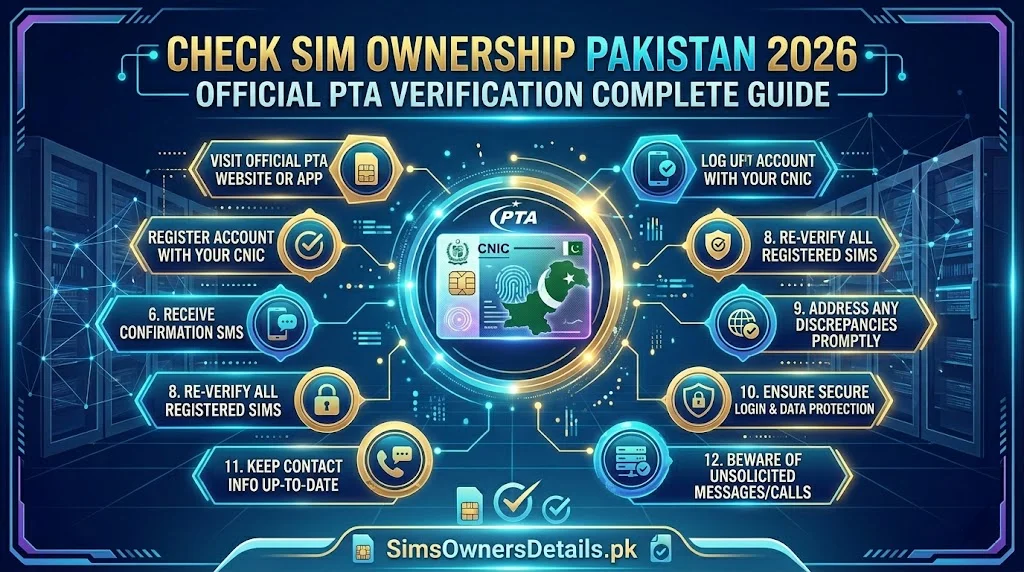
Checking SIM ownership in Pakistan is one of the most important digital security practices available to Pakistani mobile users — and through PTA’s official verification infrastructure, it is also one of the easiest. Whether you want to confirm your own SIM is correctly registered to your CNIC, verify that no SIM has been fraudulently registered under your identity, or understand the legal framework around SIM ownership in Pakistan, this guide provides the complete, authoritative answer.
Pakistan’s SIM ownership verification system is built on a biometric foundation — every SIM registered in Pakistan is linked to a specific CNIC through a live fingerprint match against NADRA’s national database. This means SIM ownership is not just a record in a register — it is a biometrically verified identity claim backed by the same system that underpins Pakistan’s national identity infrastructure.
This guide covers every dimension of SIM ownership verification in Pakistan: what it means legally, who can check what, every official method for checking, what to do when ownership is disputed, and how to correct ownership errors.
Quick Start: To check which SIMs you own (are registered under your CNIC), send your 13-digit CNIC number (no dashes) to 668 via SMS from any Pakistani SIM. Results arrive in 60 seconds, completely free.
What Is SIM Ownership in Pakistan? — Legal Definition
In Pakistan’s telecommunications law and PTA regulatory framework, SIM ownership refers to the registration of a SIM card under a specific CNIC in PTA’s Centralized SIM Registration System (CSRS). The CNIC holder whose biometric fingerprint was verified at the time of registration is legally defined as the SIM owner.
Key legal principles of SIM ownership in Pakistan:
Principle 1 — Biometric is binding: The person whose fingerprint matched NADRA’s database during SIM registration is the legal owner — regardless of who physically uses the SIM or pays for it.
Principle 2 — CNIC defines ownership: A SIM registered under your CNIC is legally your SIM in PTA’s records, even if you gave it to someone else to use. You carry the legal responsibility for that SIM.
Principle 3 — Maximum 5 per CNIC: PTA regulations limit SIM ownership to 5 active SIMs per CNIC across all networks. Owning more than 5 simultaneously is a regulatory violation.
Principle 4 — Ownership is transferable: SIM ownership can be legally transferred from one CNIC to another through the official transfer process (both parties present, biometric verification required).
Principle 5 — Fraudulent ownership is criminal: Registering a SIM under another person’s CNIC without their consent and biometric verification is a criminal offence under PECA 2016 Section 16.
For a complete understanding of how SIM ownership connects to your CNIC and Pakistan’s national identity infrastructure, visit our CNIC information guide.
Who Can Check SIM Ownership in Pakistan?
The legal framework distinguishes between who can check what:
What YOU Can Check (Any Pakistani Citizen):
- All SIMs registered on your own CNIC — via 668, cnic.sims.pk, or operator franchise
- Your own SIM’s registration details — via operator USSD codes or franchise visit
- Whether a specific SIM is correctly registered to your CNIC — via 668 and franchise
What Law Enforcement Can Check:
- The CNIC linked to any specific mobile number — with legal authority under PECA 2016
- Registration history including franchise, date, biometric record
- Device (IMEI) associated with any SIM — via DIRBS
- Call records and network activity — with judicial authorization
What No One Can Check Through Public Channels:
- The personal details of the CNIC holder behind any arbitrary mobile number — this is legally protected private information under PECA 2016 Section 14
Method 1: Check SIM Ownership via 668 SMS
The 668 service is PTA’s primary consumer-facing tool for SIM ownership verification. It shows all SIMs owned (registered) under your CNIC in real time.
Complete Step-by-Step:
Step 1: Open your phone’s SMS application.
Step 2: Create a new message. Recipient: 668
Step 3: Message body: Your complete 13-digit CNIC number.
- No dashes: correct format →
3520212345671 - With dashes: will fail →
35202-1234567-1
Step 4: Send the message. Free from any Pakistani network.
Step 5: Reply arrives within 30–60 seconds containing:
- Your CNIC number (confirming the query)
- List of all active SIMs with mobile numbers and operator names
Step 6: Verify every number shown belongs to a SIM you knowingly own and use.
What the 668 Reply Confirms About Ownership:
Every SIM number in the reply is legally owned by the CNIC holder whose number you sent. If you see:
- Your known SIM numbers → confirmed your ownership
- An unknown number → that SIM is registered in your name without your authorization
Method 2: Check SIM Ownership via cnic.sims.pk
PTA’s web portal provides the same ownership data via browser:
Complete Step-by-Step:
Step 1: Open any browser and go to cnic.sims.pk.
Step 2: Enter your 13-digit CNIC (no dashes) in the input field.
Step 3: Complete the CAPTCHA challenge.
Step 4: Click Submit.
Step 5: View all SIMs registered under your CNIC — these are your legally owned SIMs in PTA’s records.
Step 6: Screenshot the results for documentation.
Advantages Over 668 for Ownership Verification:
- Structured visual output — easier to read for multiple SIM owners
- Screenshotable clean evidence for complaints and legal proceedings
- Accessible internationally — check your Pakistani SIM ownership from any country
- No SMS delivery dependency — works even when SMS service is disrupted
Method 3: Check SIM Ownership via Operator USSD Codes
For verifying your own specific SIM’s ownership status on each operator:
| Network | Code | What It Shows |
|---|---|---|
| Jazz | *551# → Account Info | Your CNIC registered to this SIM, BVS status |
| Zong | *310# → My Account → My Info | Registration details, CNIC (masked) |
| Telenor | *345# → My Account | SIM registration and account status |
| Ufone | *336# → Account Info | Registration details, account status |
| SCO | *1# then helpline 1236 | Basic info — franchise for details |
Limitation: USSD codes show ownership details for the specific SIM you are dialing from only. Use 668 for a cross-network ownership overview.
Method 4: Check SIM Ownership via Operator Helpline
For detailed ownership verification with human assistance:
| Network | Helpline | Free From |
|---|---|---|
| Jazz | 111 | Jazz SIM |
| Zong | 310 | Zong SIM |
| Telenor | 345 | Telenor SIM |
| Ufone | 333 | Ufone SIM |
| SCO | 1236 | SCO SIM |
What to ask: “Can you confirm the CNIC registered to my SIM number [state number] and confirm the biometric verification status?”
What the helpline can confirm:
- Whether your SIM is registered to your CNIC
- BVS (Biometric Verification) status — Verified/Pending/Failed
- Account status (active/suspended/blocked)
What the helpline cannot tell you:
- Which CNIC a different subscriber’s number is registered to
- Personal details of other subscribers
Method 5: Check SIM Ownership via Franchise Biometric Verification
The most comprehensive SIM ownership check — providing details not available through any remote method:
What to Bring:
- Original CNIC (biometric verification required)
- Your SIM card(s)
What the Franchise Terminal Shows:
| Information | Available at Franchise |
|---|---|
| All SIMs on your CNIC | ✅ Yes — all networks |
| Registration date and time | ✅ Yes — exact timestamp |
| Franchise where registered | ✅ Yes — specific location |
| BVS status | ✅ Yes — detailed status |
| Account history | ✅ Yes — comprehensive |
| Immediate ownership correction | ✅ Yes — on the spot |
When franchise verification is essential:
- You suspect your SIM was registered at the wrong franchise
- You need the registration location for a fraud investigation FIR
- Your BVS status shows errors that cannot be resolved remotely
- You want to correct a registration error (wrong CNIC, wrong name)
For SIM ownership verification tools and Pakistan’s comprehensive SIM data monitoring platform, visit simsownersdetails.pk/sim-information/.
What to Do When SIM Ownership Is Disputed
Ownership disputes arise in specific situations — each requiring a different approach:
Dispute 1: You Claim a SIM Is Yours But It Does Not Appear in 668
Possible causes:
- Registration error — your SIM is linked to a different CNIC
- BVS not completed — SIM not yet confirmed in CSRS
- SIM deactivated due to inactivity (180-day rule)
Resolution:
- Visit your operator’s franchise with your original CNIC
- Request biometric verification against the specific SIM number
- If your biometric matches the registration: the CNIC discrepancy can be corrected
- If the SIM has been deactivated: check if it is still in the recovery window
Dispute 2: A SIM Appears in Your 668 That You Claim Is Not Yours
This is the fraud scenario. An unauthorized SIM is registered on your CNIC.
Resolution:
- Screenshot the 668 result immediately
- Call PTA 0800-55055 to report
- Call the relevant operator’s helpline to request blocking
- File FIR at police station
- Follow the complete unauthorized SIM protocol
Dispute 3: Family Member Claims a SIM Belongs to Them But It Is Registered on Your CNIC
This happens when a family member’s SIM was registered on the wrong household member’s CNIC by mistake.
Resolution:
- Both parties visit the operator’s franchise together
- Both provide original CNICs
- The franchise can transfer the SIM registration from your CNIC to the correct family member’s CNIC
- Both complete biometric verification for the transfer
Dispute 4: Employer Claims a Corporate SIM Is Theirs But It Is on Your CNIC
This is a common scenario when employers incorrectly register corporate SIMs on employees’ personal CNICs.
Resolution:
- The SIM must be transferred from your personal CNIC to the company’s NTN (National Tax Number)
- Visit the operator’s franchise with your CNIC and the company’s authorized representative
- Both parties complete the ownership transfer process
- After transfer, the SIM is removed from your CNIC and no longer affects your 5-SIM quota
How SIM Ownership Affects Your Financial Services
Understanding the connection between SIM ownership and financial services clarifies why ownership verification is critical:
JazzCash (Jazz SIM Required):
Your JazzCash account is tied to a specific Jazz SIM — the one registered under your CNIC. The legal SIM owner is the JazzCash account holder in Jazz’s system. An unauthorized Jazz SIM on your CNIC can be used to create a parallel JazzCash account associated with your identity.
Easypaisa (Telenor SIM Required):
Same principle — Easypaisa accounts are tied to Telenor SIMs. Unauthorized Telenor ownership on your CNIC creates an Easypaisa fraud pathway.
Bank OTP Authentication:
Banks send OTPs to the mobile number registered with your account — which is tied to your SIM. If someone owns an unauthorized SIM registered on your CNIC and your bank account number is linked to that SIM’s number, they intercept your OTPs. This is the core mechanism of SIM swap financial fraud.
The protection: Verifying your SIM ownership monthly via 668 ensures no unauthorized SIM exists on your CNIC that could be used for financial account takeover.
SIM Ownership Correction — How to Fix Registration Errors
If your SIM is registered to the wrong CNIC (e.g., a franchise entered a different CNIC by mistake), here is the correction process:
Step 1: Visit your operator’s franchise with your original CNIC.
Step 2: Tell the representative: “My SIM is registered under the wrong CNIC. I want to correct this to my actual CNIC.”
Step 3: Complete biometric verification — confirming your fingerprint links to the CNIC you are claiming.
Step 4: The representative runs a registration check on both the SIM number and your CNIC.
Step 5: If the biometric match confirms you are the legitimate owner: the franchise processes a registration correction — deregistering from the incorrect CNIC and registering under your correct CNIC.
Step 6: Verify the correction via 668 after 60 minutes — your SIM should now appear under your correct CNIC.
Important: A registration correction does not count as a new SIM registration — you are simply correcting an existing record, not consuming a new CNIC slot.
Frequently Asked Questions — Check SIM Ownership Pakistan
Q: What is the fastest way to check SIM ownership in Pakistan?
A: Send your 13-digit CNIC (no dashes) to 668 via SMS. Results in 60 seconds, completely free, from any Pakistani network.
Q: Can I check who owns a SIM that is not mine?
A: No — not through public legal channels. Official SIM ownership data for other people’s numbers is protected under PECA 2016 Section 14. Only law enforcement with legal authority can access this.
Q: How many SIMs can I own in Pakistan?
A: PTA allows a maximum of 5 SIMs per CNIC across all networks combined (Jazz + Zong + Telenor + Ufone + SCO = 5 total).
Q: If I give someone my SIM to use, does ownership transfer to them?
A: No. Physically handing over a SIM does not transfer ownership in PTA’s system. The SIM remains registered under your CNIC until an official biometric ownership transfer is completed at a franchise.
Q: Can I own a SIM in someone else’s name?
A: Not legally. Every SIM registration requires the biometric presence of the actual CNIC holder. Registering a SIM on someone else’s CNIC (even with their verbal consent but without their biometric presence) is illegal under PECA 2016 Section 16.
Q: My SIM was stolen. Is the thief now the owner?
A: No. Physical possession does not confer SIM ownership in Pakistan. The SIM remains registered under your CNIC. However, you should immediately call your operator to suspend the SIM and visit the franchise for emergency replacement.
Q: How long does it take for a new SIM registration to appear in ownership records (668)?
A: Within 30–60 minutes of biometric registration at a franchise, the new SIM appears in PTA’s CSRS and is visible via 668.
Q: Does a deceased person still “own” their SIMs?
A: In PTA’s database, yes — until the SIMs are officially deactivated or transferred. This is why deceased relatives’ CNICs should be checked via 668 and the SIMs deactivated or transferred to prevent fraudulent use.
Summary — Check SIM Ownership Pakistan 2026
| Method | Speed | All Networks | Free | Documentation |
|---|---|---|---|---|
| 668 SMS | 60 sec | ✅ Yes | ✅ Yes | ⚠️ SMS screenshot |
| cnic.sims.pk | 1–2 min | ✅ Yes | ✅ Yes | ✅ Clean screenshot |
| Operator USSD | Instant | ❌ Own only | ✅ Yes | ❌ No screenshot |
| Operator helpline | 5–10 min | ❌ Own only | ✅ Free | ❌ Verbal only |
| Franchise biometric | 10–20 min | ✅ Yes | ✅ Yes | ✅ Most complete |
SIM ownership in Pakistan is a biometrically secured legal status — and verifying it is your right as a Pakistani citizen. Use 668 monthly to exercise that right, keep your ownership records clean, and act immediately the moment anything unexpected appears.
For Pakistan’s most complete SIM verification and mobile identity protection resource, visit Sim Owner Details.
Related Guide:
- SIM Information Check by Mobile Number Pakistan 2026 — Free Official Guide
- cnic.sims.pk — Complete Guide to PTA’s Official SIM Portal Pakistan 2026
- SCO SIM Owner Details Check — AJK and Gilgit-Baltistan Complete Guide 2026
- How to Check SIM Owner Details in Pakistan 2026 — 7 Free Official Methods
- 668 CNIC Check Advanced Uses 2026 — 12 Hidden Features Most Pakistanis Don’t Know
- Check Number Details Pakistan 2026 — Find Mobile Number Owner Free Official Methods
 SIM OWNER DETAILS