
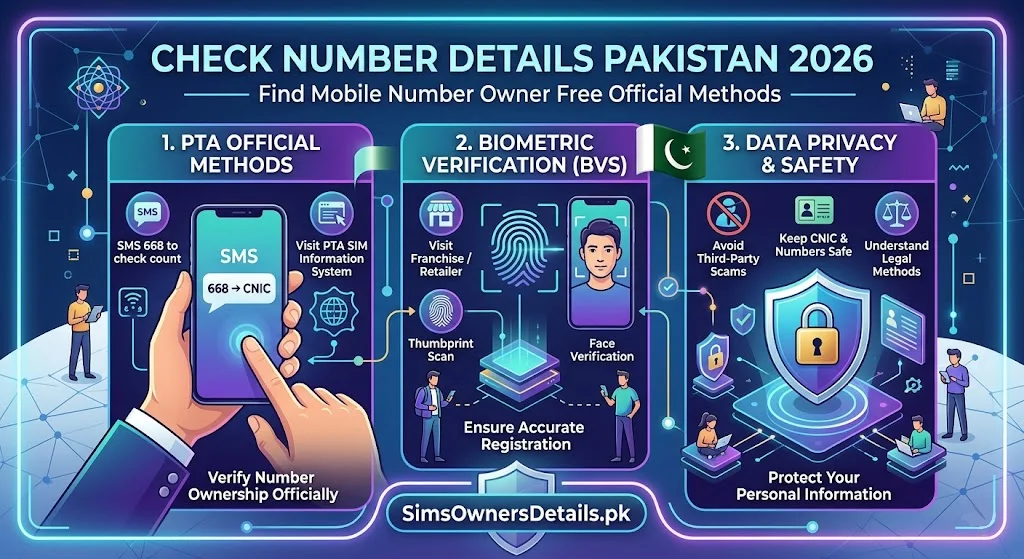
Every day, millions of Pakistanis receive calls from unknown numbers, want to verify who owns a specific SIM, need to confirm their own number’s registration details, or want to identify the network a number belongs to. “Check number details Pakistan” is one of the most searched queries in the country’s mobile ecosystem — and the answers people need are more nuanced than a simple lookup tool.
Pakistan’s mobile number details exist across multiple official systems — PTA’s SIM registration database, individual operator records, and NADRA’s biometric identity database. What you can access, how you access it, and what the law says about checking number details are all defined by a specific legal and regulatory framework that this guide explains completely.
This is the most comprehensive, most accurate, and most legally correct guide to checking mobile number details in Pakistan in 2026.
Most Important Clarification: Pakistan does not have a legal public directory that reveals the personal owner of any mobile number. What you CAN check freely and officially: which network a number is on, which SIMs are on YOUR own CNIC, and your own number’s full registration details.
What “Number Details” Means in Pakistan — Four Distinct Categories
Pakistani mobile users searching for “number details” are typically looking for one of four different types of information. Each has a different legal status and a different official method:
Category A: Which Network Does This Number Belong To?
Legal status: Public information — completely free and legal to check.
How: Look at the number’s first 4 digits (prefix):
- 0300–0309 → Jazz
- 0310–0319 → Zong
- 0320–0321 → SCO (AJK/GB)
- 0330–0339 → Various (check with operator)
- 0331–0336 → Ufone
- 0340–0349 → Telenor
Note on ported numbers: A number starting with 0341 (Telenor prefix) may have been ported to Jazz via MNP. The 668 reply shows the current network for numbers on your CNIC.
Category B: Which SIMs Are Registered on My CNIC?
Legal status: Fully legal — your right as a citizen.
How: Send your CNIC to 668 via SMS, or check cnic.sims.pk.
What it shows: Every active SIM registered under your CNIC across all networks.
Category C: Who Owns a Specific Number (Not Mine)?
Legal status: Restricted — only available to law enforcement with legal authority.
How: Not available through public channels. File a complaint with PTA (0800-55055) or FIA Cybercrime (9911) if you have a legitimate legal need to identify the owner.
Category D: My Own Number’s Full Registration Details
Legal status: Fully legal — you can access all details of your own SIM.
How: Operator USSD codes, helpline, or franchise biometric visit.
Method 1: Check Number Details for Numbers on Your CNIC — Via 668
This is the most powerful “check number details” tool available for Pakistani citizens — covering all five networks simultaneously.
Complete Process:
Step 1: Open SMS app on any Pakistani SIM.
Step 2: New message → To: 668
Step 3: Type your 13-digit CNIC number in message body. No dashes. No spaces. Example: 3520212345671
Step 4: Send. Free from all Pakistani networks.
Step 5: Reply arrives in 30–60 seconds showing all number details for SIMs on your CNIC:
- Mobile number (partially or fully shown depending on system version)
- Network operator name
- Total SIM count
What Number Details the 668 Reply Provides:
| Detail | Shown in 668? |
|---|---|
| Mobile number | ✅ Yes |
| Network operator | ✅ Yes |
| Total SIM count on CNIC | ✅ Yes |
| Registration date | ❌ No — franchise only |
| Registered owner name | ❌ No — only verifies your own CNIC |
| SIM status (active/blocked) | ⚠️ Implied by appearance/absence |
Method 2: Check Your Own Number’s Details — Via Operator USSD
For detailed information about a specific number that you own:
Jazz Number Details:
- Insert your Jazz SIM
- Dial
*551# - Navigate to Account Info → SIM Details
- View: registered CNIC (masked), BVS status, account status, registration date
Zong Number Details:
- Insert your Zong SIM
- Dial
*310# - Navigate to My Account → My Information
- View: registered details, account status
Telenor Number Details:
- Insert your Telenor SIM
- Dial
*345# - Navigate to My Account → SIM Info
- View: SIM registration details, account status
Ufone Number Details:
- Insert your Ufone SIM
- Dial
*336# - Navigate to Account Info
- View: registration details, account status
SCO Number Details:
- Dial
*1#for own number confirmation - For full details: call SCO helpline 1236
Method 3: Check Number Details via Operator Helplines
For number details with human verification assistance:
| Network | Helpline | Free From | Best For |
|---|---|---|---|
| Jazz | 111 | Jazz SIM | Detailed Jazz number registration confirmation |
| Zong | 310 | Zong SIM | Detailed Zong number registration confirmation |
| Telenor | 345 | Telenor SIM | Detailed Telenor + Easypaisa number details |
| Ufone | 333 | Ufone SIM | Detailed Ufone number registration confirmation |
| SCO | 1236 | SCO SIM | SCO number details, AJK/GB coverage |
What to say when calling:
“I want to check the registration details for my SIM number [state your number]. Can you confirm the CNIC it is registered under and the BVS verification status?”
What operators confirm after identity verification:
- Whether the number is registered under your CNIC
- BVS status (Verified / Pending / Failed)
- Account status (Active / Suspended / Blocked)
- Any flags or alerts on the account
Method 4: Check Complete Number Details at Franchise
The operator franchise provides the most comprehensive number details available to a subscriber:
Complete Details Available at Franchise:
| Number Detail | Available |
|---|---|
| Mobile number | ✅ Yes |
| Registered CNIC | ✅ Yes (full) |
| Registered owner name | ✅ Yes (your own) |
| Registration date and time | ✅ Yes |
| Registration franchise location | ✅ Yes |
| BVS status | ✅ Yes |
| Device IMEI used at registration | ✅ Yes (in some systems) |
| All SIMs on same CNIC | ✅ Yes |
| Account payment history | ✅ Yes (postpaid) |
How to Get These Details:
- Visit your operator’s franchise with original CNIC
- Request “SIM registration details” for your number
- Complete biometric verification
- The terminal displays all of the above information
Method 5: Identifying Unknown Caller Number Details — Legal Approach
This is the most emotionally driven “number details” search — you want to know who is calling you from an unknown number. Here is the legally correct and practically effective approach:
Step 1: Identify the Network (Instant — Free)
Check the first 4 digits of the calling number against the prefix guide above. This tells you which operator to contact.
Step 2: Block the Number (Instant — Free)
On Android: Open Phone app → Call log → Long press the number → Block/Report. On iPhone: Open Phone app → Recent → Tap (i) icon → Block this Caller.
Blocking prevents future calls from the same number.
Step 3: Report Harassment to PTA (Online — Free)
If the calls are harassing, threatening, or fraudulent:
- File at complaint.pta.gov.pk
- Select “Illegal / Harassing Call”
- Provide the number, dates, times, and description
- PTA investigates the number’s registration and can take action
Step 4: Report to FIA Cybercrime for Criminal Threats (Online — Free)
For calls involving threats, extortion, or financial fraud:
- File at complaint.fia.gov.pk
- Select the appropriate crime category
- Provide call records, message screenshots, and any financial details
- FIA has legal authority to compel the operator to identify the registered owner
Step 5: Police FIR for Serious Cases
Visit your local police station with:
- The threatening/harassing number
- Any screenshots of SMS or call logs
- A written statement of the threat or harassment
The FIR creates an official record enabling police to formally request the number’s registration details from the operator through legal channels.
For Pakistan’s comprehensive SIM data monitoring infrastructure that supports these investigations, visit our Pakistan SIM database guide.
Understanding Why Pakistan Does Not Have a Public Number Owner Directory
Many Pakistanis are frustrated that they cannot simply look up who owns any Pakistani mobile number. Understanding why this protection exists clarifies the system’s logic:
Privacy protection: Pakistan’s 190+ million mobile users have a fundamental right to privacy of their personal information. A public directory of mobile number owners would enable mass stalking, targeted harassment, and organized criminal targeting of individuals.
Fraud prevention: Freely searchable CNIC-to-number lookups would allow criminals to identify high-value targets more efficiently — the opposite of the system’s intent.
PECA 2016 Section 14: Pakistan’s legislature deliberately encoded this protection into law, recognizing that identity information (including SIM registration details) requires legal protection rather than public accessibility.
The legitimate alternative exists: If you have a genuine legal need to identify a number’s owner — harassment, fraud, criminal threat — the complaint system through PTA and FIA provides that path with appropriate oversight.
Number Details for Ported Numbers — Special Considerations
When a number has been ported via MNP (667 service) from one network to another, number details become more complex:
The prefix does not always indicate the current network: A number starting with 0341 (Telenor prefix) may now be on Jazz after porting. The prefix reflects the original network at registration, not the current network.
How to get accurate current number details for ported numbers:
Via 668: If the ported number is on your CNIC, the 668 reply shows the CURRENT network — reflecting the most recent port.
Via operator: Call the operator associated with the current prefix (e.g., Telenor) and ask whether a specific number is still on their network or has been ported out.
Via franchise: Any operator franchise can check whether a specific number is on their network or has been ported to another.
Number Details for SIMs Registered Under Different CNICs — The Correction Process
If your operator’s system shows your SIM is registered under a different CNIC (a registration error), here is how to get the number details corrected:
Step 1: Visit your operator’s franchise with your original CNIC.
Step 2: Request to check which CNIC your specific number is registered under.
Step 3: If a discrepancy exists (wrong CNIC): request a biometric re-registration under your correct CNIC.
Step 4: Complete biometric fingerprint verification.
Step 5: The franchise processes the correction — the number is now correctly associated with your CNIC.
Step 6: Verify via 668 after 60 minutes — your number should now appear when you query your own CNIC.
For all SIM information tools and Pakistan’s most comprehensive mobile identity verification resource, visit simsownersdetails.pk/sim-info/.
Frequently Asked Questions — Check Number Details Pakistan
Q: Is there any free website that shows Pakistani mobile number owner details?
A: No legitimate free website provides Pakistani mobile number owner details — that information is legally protected under PECA 2016. Websites claiming to offer this are either fraudulent, operating illegally, or providing fake data.
Q: Can I check number details for a number that is no longer active?
A: Once a SIM is permanently deactivated, it no longer appears in 668 or cnic.sims.pk. Historical registration records exist in PTA’s database but are accessible only to law enforcement.
Q: How do I check if a mobile number is registered or unregistered?
A: The 668 service can confirm whether a number is registered on YOUR CNIC. To check if a number is registered at all (on anyone’s CNIC), you need law enforcement involvement — there is no public tool for this.
Q: What number details does the cnic.sims.pk portal provide?
A: The portal shows all mobile numbers registered under the queried CNIC, along with the network operator for each. It does not show registration dates, franchise locations, or personal details beyond the numbers themselves.
Q: Can I check the CNIC number linked to a specific mobile number?
A: Only if that mobile number is registered on your own CNIC (via 668 or operator verification). You cannot check the CNIC linked to someone else’s number through public channels.
Q: A company gave me a SIM for work. Can I check whose CNIC it is registered under?
A: Visit any franchise of that operator with the SIM. They can check which CNIC the SIM is registered under. If it is registered on your personal CNIC rather than the company’s NTN, you should request a transfer to remove the corporate SIM from your personal quota.
Q: Is there a mobile number portability checker in Pakistan?
A: Call the operator whose prefix the number originally belonged to and ask if the number has ported out. Or check with PTA’s 667 service — after sending to 667, the response may indicate current network status as part of MNP system processing.
Q: What is the most complete set of number details I can get for my own SIM?
A: A franchise biometric visit. The terminal shows: mobile number, registered CNIC (full), registration date and time, franchise location, BVS status, and account history. This is the gold standard for complete number details.
Summary — Check Number Details Pakistan 2026
| What You Want | Method | Cost |
|---|---|---|
| Which network a number is on | Prefix check (mental table) | Free |
| All numbers on YOUR CNIC | 668 SMS or cnic.sims.pk | Free |
| Your own SIM’s registration details | USSD code + franchise | Free |
| Who owns someone else’s number | PTA/FIA complaint | Free |
| Complete details of your own SIM | Operator franchise biometric | Free |
Pakistan’s number details framework is designed to give you complete transparency over your own numbers while protecting every other citizen’s privacy equally. Use 668 for your monthly ownership check, operator USSD for quick personal verification, and the legal complaint system when you genuinely need to identify an unknown number.
For Pakistan’s most complete SIM verification and mobile number details resource, visit Sim Owner Details.
Related guide:
- Check SIM Ownership Pakistan 2026 — Official PTA Verification Complete Guide
- 668 CNIC Check Advanced Uses 2026 — 12 Hidden Features Most Pakistanis Don’t Know
- cnic.sims.pk — Complete Guide to PTA’s Official SIM Portal Pakistan 2026
- How Many SIMs on My CNIC — NADRA vs PTA vs 668 Which Is Most Accurate Pakistan 2026
- PUK Code Pakistan 2026 — How to Unlock SIM PUK Code All Networks Free
 SIM OWNER DETAILS