
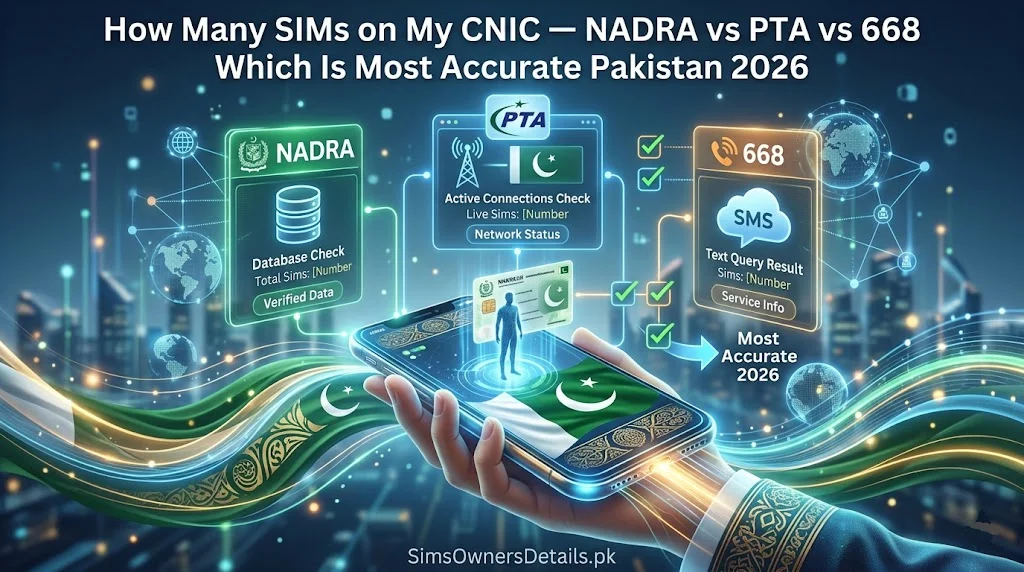
Every Pakistani mobile user should know exactly how many SIM cards are registered against their CNIC at any given moment. PTA limits every CNIC to a maximum of 5 active SIMs across all networks — and criminals who fraudulently register SIMs on your CNIC can silently consume your remaining slots while also creating a fraud pathway into your financial accounts.
In Pakistan, there are three distinct official methods for checking how many SIMs are on your CNIC: using the 668 SMS service, checking through the PTA’s official cnic.sims.pk web portal, and checking through NADRA’s identity verification services. Each method queries a slightly different system and provides a subtly different view of your SIM registration data.
This guide provides the definitive comparison: which method is most accurate, which is fastest, which works from abroad, how their results can differ — and which one you should use in each specific situation.
Bottom Line First: For real-time, comprehensive, and most accurate SIM count on your CNIC — use 668 SMS or cnic.sims.pk. Both query PTA’s live national SIM database (CSRS) directly. NADRA’s system provides identity verification but is not the primary SIM counting tool.
Understanding the Three Systems — What Each One Is
Before comparing accuracy, it is essential to understand what each system actually is and what database it queries:
System 1: PTA 668 SMS Service
What it is: A direct query interface to PTA’s Centralized SIM Registration System (CSRS) — the national database that records every biometrically verified SIM registration in Pakistan.
What database it queries: PTA CSRS — which is updated in near real-time (within 30–60 minutes of any new SIM registration).
What it shows: Every active SIM registered under your CNIC number across all operators: Jazz, Zong, Telenor, Ufone, and SCO.
How to use it: Send your 13-digit CNIC (no dashes) as an SMS to 668 from any Pakistani SIM. Free of charge.
System 2: PTA cnic.sims.pk Web Portal
What it is: A browser-based interface to the same PTA CSRS database — functionally identical to 668 but accessible via internet.
What database it queries: PTA CSRS — same database as 668, same update frequency.
What it shows: Identical information to 668 — all active SIMs on your CNIC, labeled by network operator.
How to use it: Visit cnic.sims.pk, enter your CNIC number, complete the CAPTCHA, submit.
Key difference from 668: Works internationally (via internet) and provides a visual, screenshotable output.
System 3: NADRA Identity Verification Services
What it is: NADRA’s systems — including the Pak Identity app, the NADRA online portal, and in-person NADRA Registration Centre terminals — provide verification of your CNIC identity record and linked national services.
What database it queries: NADRA’s National Identity Management System (NIMS) — which stores your biometric data, personal details, and records of PTA-linked services including SIM registrations.
What it shows: NADRA’s view of your identity record including the SIM data that PTA has shared with NADRA. However, NADRA’s SIM count display may not be as granular or real-time as the direct PTA CSRS query.
How to use it: Via Pak Identity app (download from Play Store/App Store), NADRA online portal, or in-person at any Registration Centre.
Accuracy Comparison — Which System Shows the Most Accurate SIM Count?
This is the central question this guide answers. The comparison has several dimensions:
Real-Time Accuracy
| System | Update Frequency | Real-Time? |
|---|---|---|
| 668 SMS | Within 30–60 min of registration | ✅ Near real-time |
| cnic.sims.pk | Within 30–60 min of registration | ✅ Near real-time |
| NADRA Pak Identity App | Periodic sync with PTA | ⚠️ Slight delay possible |
| NADRA in-person terminal | Via CSRS link | ✅ Real-time at franchise |
Verdict: 668 and cnic.sims.pk are the most real-time. NADRA’s app may show data with a slight delay depending on when the last sync occurred between PTA and NADRA systems.
Completeness Accuracy — Does It Show ALL Networks?
| System | Jazz | Zong | Telenor | Ufone | SCO |
|---|---|---|---|---|---|
| 668 SMS | ✅ | ✅ | ✅ | ✅ | ✅ |
| cnic.sims.pk | ✅ | ✅ | ✅ | ✅ | ✅ |
| NADRA Pak Identity App | ✅ | ✅ | ✅ | ✅ | ✅ |
| Operator USSD (*551# etc.) | ❌ Own only | ❌ Own only | ❌ Own only | ❌ Own only | ❌ Own only |
Verdict: All three official PTA/NADRA-level methods show all networks. The key differentiator from operator-specific USSD codes — which only show that operator’s SIMs — is that all three official methods give the complete cross-network picture.
Discrepancy Cases — When Systems Show Different Numbers
This is the most practically important section. In most cases, 668 and cnic.sims.pk show identical results because they query the same database. However, discrepancies can occur in these specific situations:
Situation 1: Recently registered SIM (within the last hour) If a SIM was registered in the last 30–60 minutes, 668 may show it while NADRA’s app might not yet reflect the update. In this case, 668 is more current.
Situation 2: Recently deactivated SIM (within last 24 hours) A SIM permanently deactivated in the last 24 hours may still show on some systems until the deactivation is fully processed. 668 typically reflects deactivations fastest.
Situation 3: NADRA app showing fewer SIMs than 668 This happens when NADRA’s sync with PTA has a data lag. This is more common during high-registration periods (after major operator promotions). Check 668 for the most current count — it is the authoritative source.
Situation 4: NADRA in-person terminal showing more detail than 668 At a franchise, the NADRA-linked biometric terminal can show registration dates and franchise locations — information not available via 668’s text-only reply. This is additional detail, not a discrepancy — both show the same SIMs.
Why Do the Numbers Sometimes Differ Between 668 and NADRA App?
This question deserves a detailed technical explanation because it confuses many Pakistanis:
The architecture:
- PTA’s CSRS is the master SIM registration database
- NADRA’s NIMS is the master biometric identity database
- The two systems share data via a synchronization interface
- 668 queries CSRS directly — the source of truth for SIM counts
- NADRA’s app queries NIMS — which contains a copy of PTA’s data that is synced periodically
Why discrepancies occur: The sync between CSRS and NIMS is not instantaneous — it occurs in batches, typically multiple times per day. During the window between syncs:
- A new SIM registered at 10 AM may appear in 668 by 10:30 AM
- The same SIM may not appear in NADRA’s app until the next batch sync — potentially 3–6 hours later
Practical implication: If you are monitoring your CNIC for unauthorized SIM registrations, 668 and cnic.sims.pk are your primary tools — they reflect the live state fastest. NADRA’s app is a supplementary check but should not be your only monitoring tool.
When Each Method Is Most Appropriate — Decision Guide
Use this decision framework to choose the right tool for your specific situation:
Use 668 SMS When:
✅ You want the fastest, most real-time result
✅ You have no internet access (data is zero)
✅ You need a quick monthly check from your phone
✅ You are checking for recently registered unauthorized SIMs
✅ You are in Pakistan with an active Pakistani SIM
✅ You want to check from any basic mobile phone
Dial: Send CNIC (13 digits, no dashes) to 668 via SMS. Free from any network.
Use cnic.sims.pk When:
✅ You are outside Pakistan (no access to 668)
✅ You want a screenshotable result for documentation
✅ You need to check multiple family members’ CNICs in one sitting
✅ Your SMS is not working but you have internet access
✅ You want to save results for a complaint submission
Dial: Visit cnic.sims.pk in any browser, enter CNIC, complete CAPTCHA, submit.
Use NADRA Pak Identity App When:
✅ You want to verify your complete CNIC identity record (not just SIM count)
✅ You need to confirm your CNIC details are correct in NADRA’s database
✅ You are an overseas Pakistani managing your identity documents remotely
✅ You want to access a broader range of NADRA identity services in one app
Note: For SIM counting specifically, 668 remains more accurate and more real-time than the NADRA app.
Use NADRA In-Person Terminal When:
✅ You need the most complete SIM information — including registration dates, franchise locations
✅ You are already at a franchise for another purpose (SIM replacement, new registration)
✅ You need to take immediate action (blocking, re-registration) based on what you find
✅ You want biometric-verified access to your complete account history
Where: Any operator franchise or NADRA Registration Centre with biometric terminals.
For the complete official SIM data monitoring platform, visit simsownersdetails.pk/pak-sim-data/ — Pakistan’s dedicated guide to all official SIM verification tools.
The 5-SIM Limit — How Each System Counts It
PTA’s rule is 5 SIMs maximum per CNIC across all networks combined. Each system counts this limit differently in display:
668 SMS:
Shows a list of numbers — you count them manually. The text reply lists each SIM on a separate line. If you count 4 lines of numbers, you have 4 active SIMs and one remaining slot.
cnic.sims.pk:
Shows a formatted list — visually easier to count. The portal clearly displays the total number at the top of the results in most views.
NADRA App:
Shows SIM linkage information — the display format varies by app version but shows the same count once synced.
What counts toward the 5-SIM limit:
- Active SIM cards (verified, in use)
- SIMs in dormant/suspended status that have not been permanently deactivated
What does NOT count:
- Permanently deactivated SIMs
- SIMs in the process of being blocked after a complaint
Important: If 668 shows you have 5 SIMs but you only recognize 3 of them — 2 of your 5 slots are occupied by unauthorized SIMs. You cannot register a new legitimate SIM until the unauthorized ones are blocked and the slots are freed.
Solving Common Discrepancy Scenarios
Scenario 1: “668 shows 4 SIMs but I only own 3”
Explanation: One unauthorized SIM is on your CNIC.
Action: Identify which number you do not recognize. Call that network’s helpline. Call PTA 0800-55055. Report and block immediately.
Scenario 2: “668 shows 2 SIMs but I own 3”
Explanation: One of your SIMs may be deactivated (180-day inactivity rule), blocked, or registered under a different CNIC due to an original registration error.
Action: Visit the operator’s franchise for the missing SIM with your CNIC. Check the SIM’s status in their system. Re-register if needed.
Scenario 3: “NADRA app shows 3 SIMs but 668 shows 4”
Explanation: A SIM was registered after the last NADRA–PTA sync. The fourth SIM is live in PTA’s CSRS but has not yet synced to NADRA’s NIMS.
Action: Trust 668 — it is the more current source. If the fourth SIM is unrecognized, treat it as unauthorized and act accordingly.
Scenario 4: “668 shows 0 SIMs but I definitely have an active SIM”
Explanation: Your SIM may be registered under a different CNIC (original registration error, or pre-2015 registration without biometric). Alternatively, you typed your CNIC incorrectly.
Action: Retry with your CNIC typed carefully — exactly 13 digits, no dashes. If 0 results persist, visit your operator’s franchise for biometric verification to confirm your SIM’s registered CNIC.
Scenario 5: “All three systems show different SIM counts”
Explanation: This should not happen in normal circumstances. A three-way discrepancy suggests a technical issue or a very recent registration that has not yet propagated fully.
Action: Wait 2 hours and recheck all three systems. If discrepancy persists, call PTA 0800-55055 to report the data inconsistency and request manual investigation.
How to Verify Your Results — Best Practice
For maximum confidence in your SIM count:
Standard monthly check: Use 668. One SMS, 60 seconds, complete result. Sufficient for routine monitoring.
Before making a complaint: Use both 668 AND cnic.sims.pk. Screenshot both results. The dual screenshot provides stronger evidence than a single check.
After requesting a SIM block: Use 668 after 48 hours to confirm the blocked SIM no longer appears in your count. This is your verification that the block was successfully applied.
After SIM registration (new SIM purchase): Check 668 within 1 hour of your new SIM registration. Confirm the new number appears correctly and your total count is what you expect.
For comprehensive guidance on interpreting all SIM verification results and using Pakistan’s official monitoring infrastructure effectively, visit our CNIC information guide.
Frequently Asked Questions — SIM Count Accuracy Pakistan
Q: Which is the single most accurate method for checking SIMs on my CNIC?
A: 668 SMS and cnic.sims.pk are equally accurate — they query the same live PTA database (CSRS). Either can be considered the gold standard. Use 668 for speed and convenience; use cnic.sims.pk when you need documentation or are abroad.
Q: Why does NADRA’s app sometimes show fewer SIMs than 668?
A: NADRA’s app syncs with PTA’s database periodically rather than in real-time. Newly registered SIMs may appear in 668 up to 6 hours before they appear in NADRA’s app.
Q: Can operator USSD codes (551# for Jazz, 310# for Zong) show all my SIMs across networks?
A: No. Operator USSD codes only show SIMs on that specific network. To see all SIMs across Jazz, Zong, Telenor, Ufone, and SCO simultaneously, use 668 or cnic.sims.pk only.
Q: I checked 668 and it showed 5 SIMs, but I only use 2. I called PTA and blocked 3 unauthorized ones. Now 668 still shows 5 — why?
A: Blocking takes 24–48 hours to fully reflect in the database. Check again after 48–72 hours. The blocked SIMs will disappear from your 668 results once the deactivation is processed.
Q: Is there any method that shows historical SIM registrations on my CNIC — not just current active ones?
A: Not through public consumer channels. Historical records are maintained in PTA’s CSRS and accessible to law enforcement. At an operator franchise with biometric verification, a representative may be able to show you historical registrations on their internal terminal.
Q: My 668 check and cnic.sims.pk show different results. Which should I trust?
A: Both query the same database. If results differ, it is almost certainly a temporary system anomaly — try both again 30 minutes later. If the discrepancy persists after retry, call PTA 0800-55055 and report the data inconsistency.
Q: How often should I check how many SIMs are on my CNIC?
A: Monthly minimum. After any event where you share your CNIC (hotel, bank, new employer), check within 48 hours. After a lost or stolen CNIC, check daily for 2 weeks.
Q: If a criminal has already used my CNIC to register SIMs, will all three systems show the unauthorized SIM?
A: Yes — eventually. 668 and cnic.sims.pk will show it within 30–60 minutes of registration. NADRA’s app within a few hours. The key is checking regularly so you catch it before it is exploited for financial fraud.
Summary — NADRA vs PTA vs 668 SIM Check Comparison
| Feature | 668 SMS | cnic.sims.pk | NADRA App |
|---|---|---|---|
| Database queried | PTA CSRS (direct) | PTA CSRS (direct) | NADRA NIMS (synced) |
| Real-time accuracy | ✅ Highest | ✅ Highest | ⚠️ Slight delay |
| Internet required | ❌ No | ✅ Yes | ✅ Yes |
| Works abroad | ❌ No | ✅ Yes | ✅ Yes |
| All networks shown | ✅ Yes | ✅ Yes | ✅ Yes |
| Registration dates | ❌ No | ❌ No | ⚠️ Limited |
| Screenshot/document | ❌ SMS only | ✅ Yes | ✅ Yes |
| Best for | Daily monitoring | Documentation, abroad use | Full identity overview |
| Cost | Free | Free | Free |
| Recommended for fraud detection | ✅ Primary tool | ✅ Secondary tool | ⚠️ Supplementary |
The verdict is clear: 668 is your primary tool for checking how many SIMs are on your CNIC in Pakistan — it is the fastest, most real-time, most accurate, and requires no internet. Use cnic.sims.pk when you need documentation or are abroad. Use NADRA’s systems for your broader identity management — not specifically for SIM counting.
For Pakistan’s most complete SIM verification resource — including all official tools, fraud monitoring guides, and CNIC protection resources — visit simsownersdetails.pk.
Related Guide:
- PTA Helpline 0800-55055 — What to Report and How to File Complaint Pakistan 2026
- How Criminals Register SIMs Using Your CNIC — And How to Stop Them Pakistan 2026
- PTA DIRBS System Explained — How Device Blocking Works in Pakistan 2026
- 667 vs 668 Pakistan 2026 — Which SIM Check Method to Use When Complete Comparison
 SIM OWNER DETAILS