
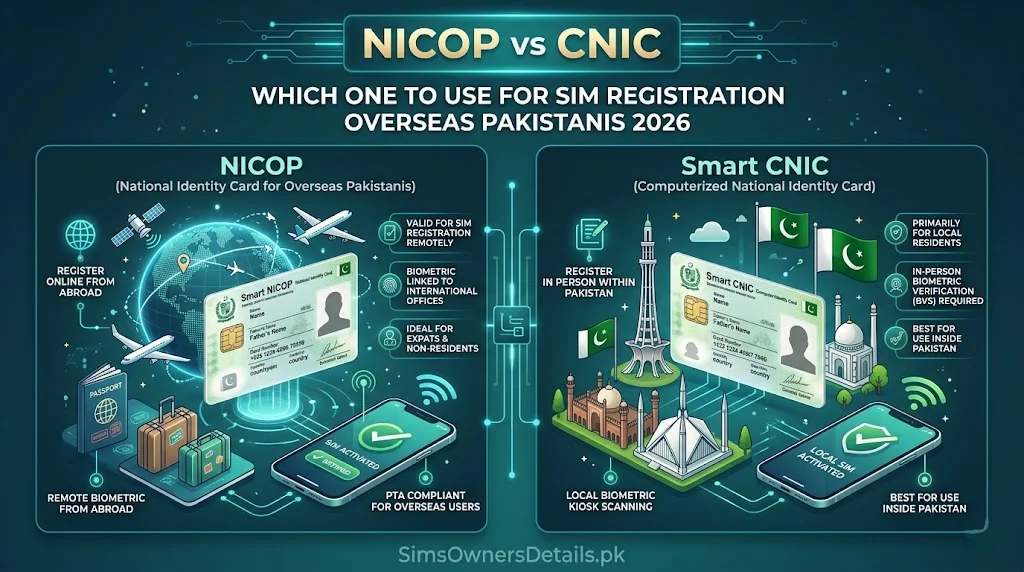
For Pakistan’s massive overseas community — estimated at over 9 million Pakistanis living and working abroad — navigating Pakistan’s SIM registration system presents unique challenges and questions. Chief among them: when you visit Pakistan or need to register a Pakistani SIM from abroad, should you use your CNIC (Computerized National Identity Card) or your NICOP (National Identity Card for Overseas Pakistanis)?
The answer depends on your residency status, how long you are staying in Pakistan, and what you want to do with the SIM. This guide provides complete clarity on the NICOP vs CNIC choice for SIM registration, how to manage your Pakistani SIMs from abroad, how to check your SIM status while outside Pakistan, and what overseas Pakistanis need to know about NADRA and PTA regulations in 2026.
Quick Answer: If you are visiting Pakistan temporarily and your CNIC is valid, use your CNIC for SIM registration — it gives you access to all 5 SIM slots. If your CNIC is expired or you are registering from abroad, your NICOP is accepted as an alternative identity document for SIM purposes.
Understanding CNIC vs NICOP — Key Differences
Before deciding which document to use for SIM registration, understanding what each document represents:
CNIC (Computerized National Identity Card):
- Issued by NADRA to Pakistani citizens residing in Pakistan
- Required for all citizens aged 18+ with Pakistani domicile
- 13-digit format: XXXXX-XXXXXXX-X
- Valid for 10 years from date of issue
- Required for voting, property ownership, business registration in Pakistan
- Used for SIM registration — gives the holder access to PTA’s standard 5-SIM limit per CNIC
NICOP (National Identity Card for Overseas Pakistanis):
- Issued by NADRA specifically for Pakistani nationals living abroad on a semi-permanent or permanent basis
- Available to Pakistanis with foreign residency permits, dual nationals, and those settled abroad
- Same 13-digit format as CNIC but with a different district code prefix identifying it as an overseas card
- Valid for 5 or 10 years
- Accepted for most Pakistani government services including SIM registration
- Does NOT replace CNIC for domestic residents — it is a parallel document for the overseas community
Key Practical Difference for SIM Registration:
Both CNIC and NICOP are accepted by PTA and all Pakistani operators for SIM registration. The document type does not affect the 5-SIM limit — your NICOP has the same 5-SIM registration capacity as a CNIC.
The real distinction is: which document is current, valid, and has accurate biometric data in NADRA’s system?
When to Use CNIC for SIM Registration (Overseas Pakistanis)
Use your CNIC for SIM registration if:
Scenario 1: You have a valid CNIC and are visiting Pakistan Your CNIC is valid (not expired), your biometric data is up to date in NADRA’s system, and you are physically present in Pakistan. This is the straightforward case — use your CNIC exactly as any domestic resident would.
Scenario 2: You regularly travel between Pakistan and abroad If you spend significant time in Pakistan every year and maintain a Pakistani CNIC alongside your overseas status, use your CNIC for registrations that will primarily be used in Pakistan. Your CNIC SIM registrations are tied to Pakistan’s biometric system and are the most straightforward to verify and manage.
Scenario 3: You want maximum SIM quota flexibility Your CNIC and NICOP technically have separate SIM quotas in PTA’s system — 5 SIMs each. This means an overseas Pakistani holding both a valid CNIC and a valid NICOP has theoretically 10 SIM slots available. However, using both documents requires active management of both identity documents’ SIM records.
When to Use NICOP for SIM Registration
Use your NICOP for SIM registration if:
Scenario 1: Your CNIC is expired and you are visiting Pakistan An expired CNIC still works for some purposes but creates complications in PTA’s biometric system. If your CNIC is expired, either:
- Renew the CNIC first at NADRA (visit any NADRA centre — priority service available for overseas visitors)
- Use your NICOP for immediate SIM registration while CNIC renewal is pending
Scenario 2: You have not maintained a Pakistani CNIC Some overseas Pakistanis — particularly those who emigrated decades ago — hold only a NICOP and do not maintain an active CNIC. In this case, NICOP is your only Pakistani identity document for SIM registration.
Scenario 3: You want a Pakistani SIM specifically linked to your overseas identity Some overseas Pakistanis prefer their Pakistani SIM registrations to be under their NICOP rather than CNIC for record-keeping purposes — particularly if they want to keep their overseas and domestic identity records distinct.
Scenario 4: You are registering a SIM while outside Pakistan (through a representative) While PTA requires biometric presence for SIM registration, some cases exist where a power of attorney arrangement is used. NICOP is the relevant document for overseas-based registration arrangements.
How to Register a SIM in Pakistan as an Overseas Pakistani — Step by Step
Regardless of whether you use CNIC or NICOP, the biometric registration requirement applies equally:
In-Person Registration (During Pakistan Visit):
Step 1: Visit any operator franchise (Jazz, Zong, Telenor, or Ufone) with your original CNIC or NICOP.
Step 2: Inform the representative:
“I am an overseas Pakistani. I want to register a new SIM using my [CNIC/NICOP].”
Step 3: The representative enters your CNIC/NICOP number into the biometric terminal.
Step 4: You complete fingerprint verification on the biometric terminal — your fingerprint is matched against NADRA’s database in real time.
Step 5: If the biometric match is successful, the SIM is registered and activated.
Step 6: Verify registration by checking 668 from the new SIM.
Important Considerations for Overseas Pakistanis:
Biometric data currency: If you have not had biometric verification in Pakistan for several years, your fingerprint record in NADRA may need updating — fingers change with age. If biometric fails, visit a NADRA Registration Centre to refresh your biometric record.
Residency declaration: Some operators ask for your current address when registering a SIM. Overseas Pakistanis should provide their Pakistani family address or correspondence address — a foreign address is not required and may complicate the registration.
NICOP validity: Ensure your NICOP is not expired before attempting SIM registration. Operators verify NICOP validity through the NADRA database in real time.
How to Check Your Pakistani SIM Status From Abroad
This is one of the most critical practical questions for overseas Pakistanis — and the answer is straightforward:
Method 1: cnic.sims.pk Web Portal (Recommended for Overseas Use)
The PTA official web portal works from any country with internet access:
- Open any browser and navigate to
cnic.sims.pk - Enter your 13-digit CNIC or NICOP number (13 digits, no dashes)
- Complete the CAPTCHA
- View all SIMs registered under your document number
This is the overseas Pakistani’s primary verification tool — use it monthly to monitor for unauthorized SIM registrations on your Pakistani identity documents.
Method 2: NADRA Pak Identity App
Available globally on Google Play and Apple App Store:
- Download “Pak Identity”
- Register with your CNIC or NICOP number
- Complete identity verification
- View linked services including SIM registration data
This app also allows you to check your document’s validity status and initiate renewal processes remotely.
Method 3: 668 Via Roaming (If Your Pakistani SIM Is Active)
If your Pakistani SIM is currently active and you have international roaming enabled:
- You may be able to send an SMS to 668 from your Pakistani SIM while abroad
- Note: international roaming charges apply to the SMS; success depends on your roaming arrangement and the foreign network’s short-code delivery capability
- This is less reliable than the web portal from abroad — use cnic.sims.pk as the primary method
Method 4: Ask a Trusted Family Member in Pakistan
The simplest and most reliable method:
- Share your CNIC or NICOP number with a trusted family member in Pakistan
- They send it to 668 from their Pakistani SIM
- They forward you the reply
- This gives you the same real-time data as a domestic 668 check
Managing Existing Pakistani SIMs From Abroad
Overseas Pakistanis often maintain Pakistani SIMs for family communication, business, or financial services. Managing these effectively requires understanding:
The 180-Day Inactivity Risk:
Pakistani SIMs deactivate after 180 days of no outgoing activity. For overseas Pakistanis, this is a significant risk — a SIM left unused for 6 months while abroad will be deactivated.
Prevention: Arrange for a family member to make one outgoing call or USSD query from your Pakistani SIM every 90 days.
USSD codes to maintain activity (require no balance):
- Jazz:
*100# - Zong:
*100# - Telenor:
*9# - Ufone:
*99#
International Roaming on Pakistani SIMs:
Most Pakistani operators offer international roaming packages. Using your Pakistani SIM on roaming in another country counts as outgoing activity and resets the 180-day inactivity timer.
Jazz international roaming: Call Jazz 111 before departure to activate
Zong international roaming: Call Zong 310 before departure
Telenor international roaming: Call Telenor 345 before departure
Ufone international roaming: Call Ufone 333 before departure
JazzCash and Easypaisa From Abroad:
Overseas Pakistanis with JazzCash or Easypaisa accounts linked to Pakistani SIMs can still access these services via the mobile apps even while abroad — as long as the SIM remains active and OTP delivery is working via international roaming or a family member forwarding codes.
NICOP Renewal and CNIC Renewal for Overseas Pakistanis
Keeping your documents current is essential for SIM registration and all other Pakistani services:
NICOP Renewal:
Via Pakistani Embassy/Consulate: Most Pakistani diplomatic missions abroad offer NADRA registration services. You can renew your NICOP at the Pakistani consulate in your country of residence.
Via NADRA Overseas Portal: NADRA’s website has an overseas registration portal allowing you to initiate NICOP renewal online and schedule biometric appointments at the nearest mission.
During Pakistan Visit: If visiting Pakistan, renew at any NADRA Registration Centre — this is faster than overseas channels.
CNIC Renewal for Overseas Pakistanis:
If you maintain both CNIC and NICOP and your CNIC is expiring:
During Pakistan visit: Visit any NADRA Registration Centre. Bring your current (expiring) CNIC, your NICOP, and complete the standard renewal process.
Valid CNIC is important for SIM registration because CNIC-registered SIMs are fully integrated with Pakistan’s domestic digital ecosystem. An expired CNIC may cause complications with PTA biometric verification systems that cross-reference NADRA’s validity records.
The SIM Quota Question — CNIC + NICOP Combined
This is a question many overseas Pakistanis ask: if I have both a valid CNIC and a valid NICOP, do I get 5 + 5 = 10 SIM slots?
Technically: Yes. PTA’s system treats CNIC and NICOP as separate identity documents with separate SIM registration limits. A person holding both documents could register up to 5 SIMs under their CNIC and 5 under their NICOP — for a total of 10 active SIM registrations.
Practically: Very few overseas Pakistanis need anywhere near 10 Pakistani SIMs. The more important implication is for monitoring:
If you hold both a CNIC and a NICOP, you need to monitor both documents for unauthorized SIM registrations:
- Check 668 or cnic.sims.pk for your CNIC number
- Check cnic.sims.pk for your NICOP number
Two identity documents means two potential attack surfaces for SIM fraud. Both require regular monitoring. For comprehensive SIM information monitoring tools, visit simsownersdetails.pk/sim-info/.
Frequently Asked Questions — NICOP vs CNIC SIM Registration Pakistan
Q: Can I register a Pakistani SIM using only my NICOP if I have never held a CNIC? A: Yes. NICOP is fully accepted by PTA and all Pakistani operators as an identity document for SIM registration. Your NICOP number functions as the registration identifier in PTA’s database.
Q: My CNIC expired 3 years ago. Can I still use it for SIM verification via 668? A: The 668 service queries the CNIC number in the database regardless of the card’s expiry status. Your expired CNIC number still shows SIM registrations associated with it. However, you should renew your CNIC to avoid complications with biometric-dependent services.
Q: I’m an overseas Pakistani visiting for 2 weeks. Can I get a local SIM? A: Yes. With your CNIC or NICOP and physical presence for biometric verification, you can register a Pakistani SIM during your visit. Note that you must be aware of the 180-day inactivity rule — the SIM will deactivate if unused for 180 days after you return abroad.
Q: Can someone in Pakistan register a SIM on my NICOP while I am abroad? A: Not legitimately — biometric verification requires your physical presence. However, fraudulent registration via the methods described in PECA 2016 enforcement cases is possible. This is why monitoring your NICOP via cnic.sims.pk monthly is essential for overseas Pakistanis.
Q: Does PTA allow SIM registration via power of attorney for overseas Pakistanis? A: PTA requires biometric verification for all SIM registrations — which cannot be delegated via power of attorney since it requires the actual physical fingerprint of the registered owner. There is no legitimate bypass of this requirement.
Q: If I have a SIM registered under my old CNIC, does it transfer automatically when I get NICOP? A: No. Your CNIC and NICOP are separate documents with separate registration records. SIMs registered under your CNIC remain under your CNIC number in PTA’s database unless you explicitly transfer them.
Q: Which operators offer the best international roaming for overseas Pakistanis to keep SIMs active? A: Zong generally offers the widest international roaming coverage due to its China Mobile parentage. Jazz has strong coverage in the Middle East where many Pakistanis work. Check each operator’s current roaming country list before departure as coverage changes periodically.
Q: Can I check my NICOP-linked SIMs the same way as CNIC via 668? A: Yes. Enter your 13-digit NICOP number in the 668 SMS message the same way you would enter a CNIC number. The system recognizes NICOP numbers and returns all SIMs registered under your NICOP.
Summary — NICOP vs CNIC for SIM Registration
| Factor | CNIC | NICOP |
|---|---|---|
| Issued to | Domestic residents | Overseas Pakistanis |
| SIM registration | ✅ Accepted | ✅ Accepted |
| 5-SIM limit | ✅ Yes | ✅ Yes (separate quota) |
| 668 check works | ✅ Yes | ✅ Yes |
| cnic.sims.pk check | ✅ Yes | ✅ Yes |
| Biometric required | ✅ Yes | ✅ Yes |
| Best for | Pakistan residents + visitors | Overseas Pakistanis without valid CNIC |
| Renewal location | Pakistan (NADRA) | Embassy abroad or NADRA in Pakistan |
For overseas Pakistanis, the key principles are: keep both documents valid, monitor both via cnic.sims.pk monthly, and ensure your Pakistani SIM does not hit the 180-day inactivity limit while abroad.
For Pakistan’s most complete SIM verification resource — including all tools and guides relevant to overseas Pakistanis — visit Sim Owner Details.
Related Guide:
 SIM OWNER DETAILS